What Is a CNC Router? An Introduction for Engineers
What is a CNC router? This guide explains how a CNC router works, what it is built from, the materials it cuts, and where it fits among CNC machines.

20 Jul, 2026. 10 minutes read
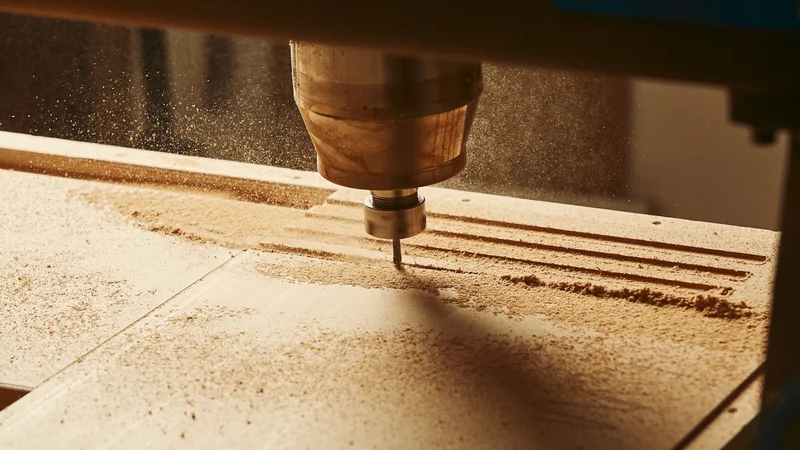
The CNC router is a workhorse for woodworking, sign engraving, prototyping, and beyond
What is a CNC router? In short, a CNC router is one of the most versatile CNC machines you can put on a shop floor, and for many engineers it is the entry point into computer-controlled fabrication. It automates what a handheld wood router does, spinning a cutting tool to remove material, but it replaces the operator's hands with precise, programmable motion along multiple axes.
That combination makes the CNC router a workhorse for woodworking, sign engraving, prototyping, composite trimming, and short-run parts in plastic and soft metals. This guide covers what a CNC router is, how it works, the components inside a CNC router machine, the materials it cuts, and how it compares with a CNC milling machine so you can decide where it belongs in your process.
What Is a CNC Router?
What is a CNC router and what is it used for? A CNC router is a computer numerical control (CNC) cutting machine that mounts a rotating cutting tool, the spindle, on a gantry and moves it over a fixed workpiece to remove material like wood, plastic, metals, and composites.[1]
The CNC router belongs to the family of subtractive manufacturing processes, meaning it starts with a solid blank and cuts away everything that is not the finished part. In that sense it is close to a CNC milling machine: both carve a workpiece with a rotating end mill or router bit under program control.
The difference is construction and intent. A router is built light and large to move a spindle quickly over big, soft sheets, while a mill is built heavy and compact to push hard metals with high force. Most CNC routers are three-axis, but four-axis and five-axis configurations add rotary motion for contoured 3D parts, moldings, and molds.
Recommended reading: CNC Milling: A Comprehensive Guide to Understanding and Mastering the Technology
How a CNC Router Works
A CNC router turns a digital model into a physical part through a defined chain of software and motion control.
The digital workflow: CAD, CAM, and G-code
Design (CAD): You model the part in computer-aided design software, defining geometry, dimensions, and cut depths.
Toolpaths (CAM): CAM software (computer-aided manufacturing) converts that model into toolpaths and exports G-code, the machine-readable instructions that specify coordinates, feed rates, and spindle speeds.
CNC control: The G-code loads into the CNC control, the processor that interprets each line and coordinates motion across the axes.
Motion: The controller drives motors that move the spindle along the x-axis (left and right), the y-axis (front and back), and the z-axis (up and down). On a router, the gantry carries the spindle over a stationary part.
Cutting: The spinning router bit removes material as it follows the toolpath, producing the finished shape.
G-code is the standardized programming language used to control CNC routers, originating in the early numerical control (NC) systems developed at MIT in the 1950s and later formalized under standards such as ISO 6983 (RS-274).[2]
Motion and control
Motion comes from stepper motors or servo motors. Stepper motors are simpler and cheaper and run open-loop. Servo motors add closed-loop feedback for higher accuracy and speed, which is why they dominate industrial machines. Wevolver's guide to stepper versus servo motors covers that trade-off in depth.
The controller does not drive the axes directly. Rotary motor motion is converted to linear travel by a drive system, and the whole assembly rides on precision guides, which is where a router's accuracy is won or lost.
Recommended reading: CNC vs 3D Printing: How to Choose the Right Process
Anatomy: Key Components of a CNC Router Machine
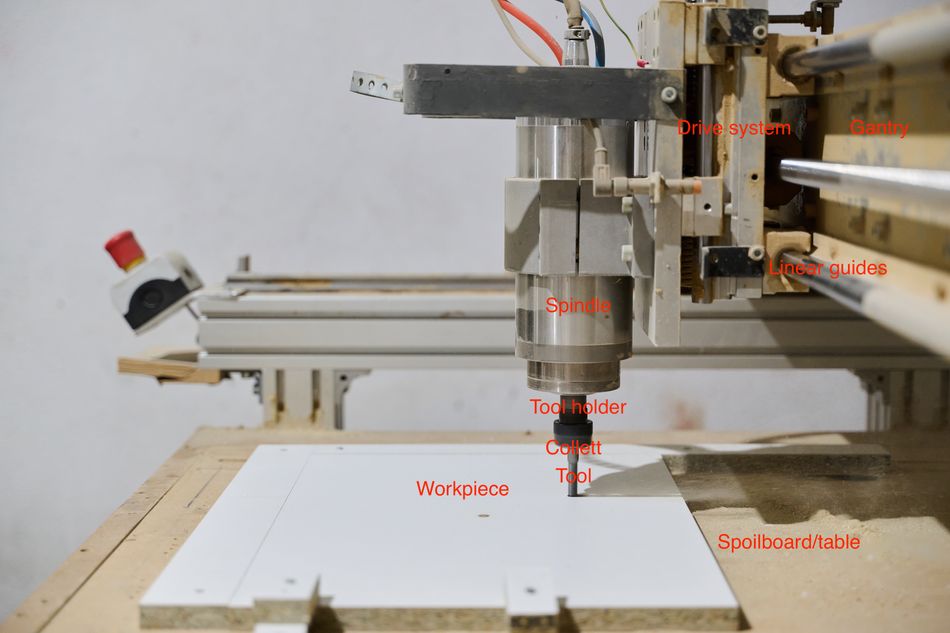
Every CNC router machine is built from the same functional blocks, and their quality sets accuracy, surface finish, and how hard you can push the cut.
CNC routers are available in several machine configurations, each designed to balance workspace, rigidity, speed, and cost for different applications. Common designs include X-Y table, cantilevered, moving table, moving gantry, pendulum, 5-axis, and industrial robot systems, with each offering distinct advantages for part size, machining complexity, and production volume.[3]
Frame and gantry
On a CNC router machine, the frame is the structural backbone, and rigidity is everything: a flexible frame produces chatter and axis deflection. Router frames are usually welded steel tube or heavy aluminum extrusion, stiff enough to resist cutting forces yet light enough for a moving gantry.
Spindle
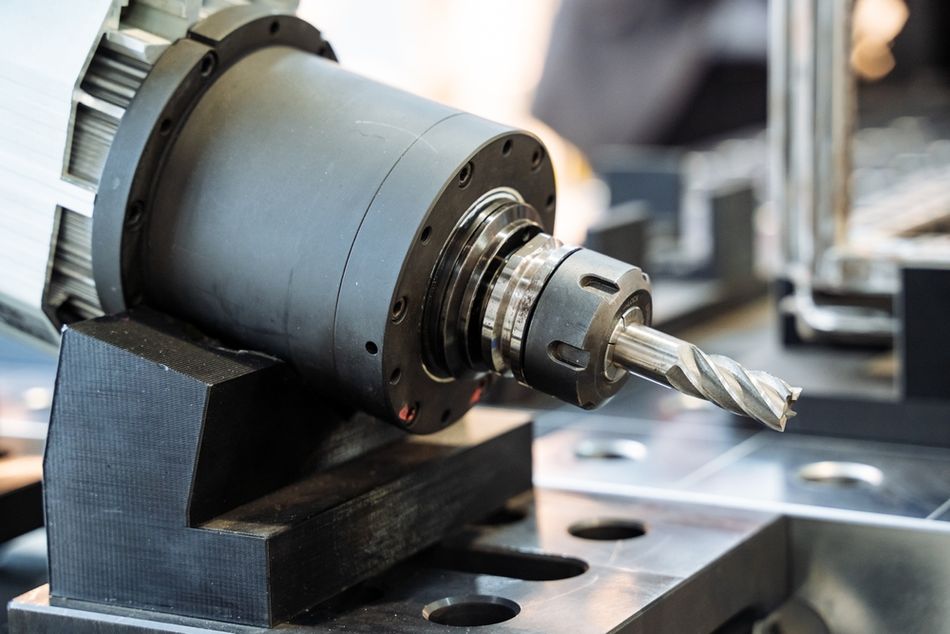
The spindle is the single most critical component, since it holds and rotates the cutting tool. Router spindles are high-speed and run on precision bearings whose condition directly affects runout, finish, and noise. Industrial router spindles typically run to a maximum of 24,000 RPM and accept standardized tool holders, smaller than those used on CNC mills.[3] Many industrial machines add automatic tool change (ATC) so the spindle can swap between several cutting tools without operator input.
Drive system and linear guides
Motor rotation becomes linear travel through lead screws, ball screws, or rack-and-pinion drives. Ball screws give the tightest positioning and suit smaller, precise machines, while rack-and-pinion drives are common on long axes because they stay stiff over several meters. The moving parts ride on linear guides, precision-ground rails with recirculating ball bearings that provide stiffness and repeatability.
Table and workholding
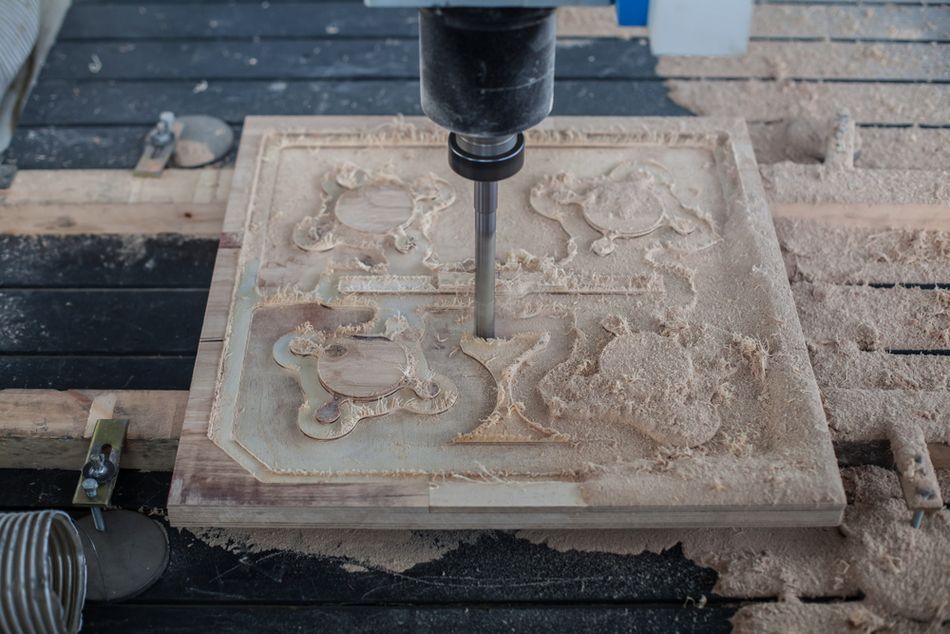
The bed, or table, secures the workpiece. A T-slot table accepts mechanical clamps, while a vacuum table pulls sheet stock flat across its whole surface, which is faster and more uniform for full sheets of plywood or MDF. Good workholding is not optional: it keeps the part from shifting under cutting load and protects both finish and safety.
Tooling
Cutting happens at the router bit or end mills held in a collet. Bit geometry drives cut quality: an up-cut bit clears chips upward, a down-cut bit leaves a clean top edge, and a compression bit combines both to protect the faces of laminated sheets. Matching the flute count and geometry of the cutting tool to the material is one of the biggest levers on edge quality.
Materials a CNC Router Can Cut
CNC routers excel at large, softer materials and are widely used in woodworking, signage, and prototyping.
Material | Examples | Engineering notes |
Wood | Hardwood, plywood, MDF | Core use case; clean carving of panels and moldings |
Plastic | Acrylic, polyethylene, foam | Watch heat; single-flute bits and good chip evacuation reduce melting |
Composites | Carbon-fiber and fiberglass panels | Common in aerospace trimming; abrasive and needs diamond tooling |
Soft metals | Aluminum, brass | Possible with shallow passes, the right bit, and chip clearing |
Other | Glass, stone | Requires diamond tooling and often coolant |
A CNC router handles wood, plastic, and acrylic easily, cuts composites and soft metals such as aluminum and brass with care, and can shape glass or stone with diamond tooling. What it generally cannot do is machine hard metals such as steel or titanium, which demand the rigidity and torque of a mill.
Composites can be challenging to cut using a CNC router. The delivery of chilled air can help maintain tool life and workpiece integrity, while tools with a secondary clearance angle can improve stability.[4]
CNC Router vs. CNC Milling Machine
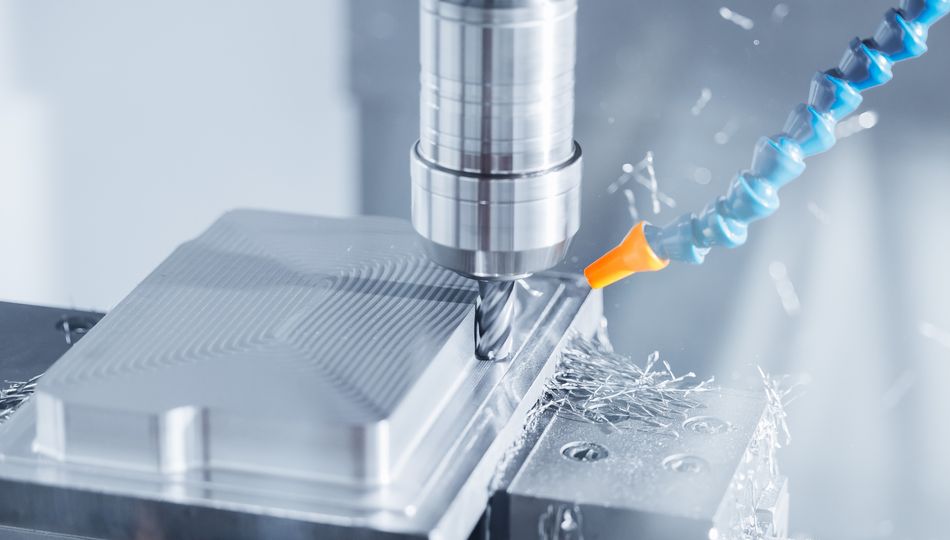
The most common question engineers ask is how a router differs from a mill. Both are CNC machines that cut with a rotating tool, but their engineering priorities diverge. Routers typically have a gantry-style design with a stationary workpiece and prioritize workpiece size, whereas mills favor a C-frame design where the table moves on the X and Y axes and the spindle on the Z axis, prioritizing rigidity and accuracy.[5]
Attribute | CNC router | CNC milling machine |
Architecture | Moving gantry over a fixed workpiece | Column and knee or C-frame; table moves in X and Y |
Rigidity | Lighter frame, larger footprint | Heavy, stiff casting that damps vibration |
Spindle | High speed, low torque (about 18,000 to 24,000 RPM) | Lower speed, high torque (about 3,000 to 12,000 RPM) |
Work envelope | Large, full sheets of 1.2 m by 2.4 m or more | Smaller and concentrated |
Best materials | Wood, plastic, composites, soft metals | Steel, titanium, and hard alloys |
Typical axes | 3, up to 5 | 3 to 5, sometimes more |
Tolerances
Machine accuracy is measured under ISO 230-2, the test code that defines the accuracy and repeatability of positioning for numerically controlled axes.[6]
Positioning accuracy is how close the machine gets to the commanded coordinate.
Repeatability is how consistently it returns to the same spot.
These factors influence, but are not the same as, achievable machining tolerance: a router with high accuracy and repeatability can reliably produce parts within tighter dimensional limits, whereas backlash, mechanical flex, calibration errors, and thermal effects increase variation between the programmed geometry and the finished part.
The table below gives representative figures and shows that milling machines are used to achieve a wider range of tolerances than routers. Treat the figures only as typical starting points, since the exact numbers depend on build quality, drive type, and calibration.
Metric | CNC router (typical) | CNC milling machine (typical) |
Positioning accuracy | plus or minus 0.1 mm | plus or minus 0.005 to 0.01 mm |
Repeatability | plus or minus 0.02 mm | plus or minus 0.002 to 0.005 mm |
Standard part tolerance | plus or minus 0.13 mm[7] | plus or minus 0.13 mm or 0.025 mm for precision machining[8] |
A representative industry example is the popular 24R CNC router from Tormach, which specifies a ball screw positional accuracy of ±0.167 mm/m and a repeatability of ±0.02 mm.
In short, a router trades rigidity and precision for speed and size, while a mill trades work envelope for the strength to cut hard metal accurately. Many shops run both: a router for large panels and CNC milling for precise metal parts.w
Recommended reading: CNC Machining Aluminum: A Guide for Digital Design and Hardware Engineers
Feeds, Speeds, and Chip Load
Dialing in a CNC router is mostly about the relationship between spindle speed, feed rate, and chip load. Chip load is the thickness of material each flute removes per revolution, and it governs cut quality, tool life, and heat. The governing formula is:
Feed rate (mm/min) = spindle speed (RPM) x number of flutes x chip load (mm per tooth)
Set the chip load too low and the bit rubs and overheats, dulling quickly. Set it too high and the tool deflects or breaks.
The correct chip load depends on the cutter diameter, material, tool geometry, and machine rigidity. Manufacturers typically provide recommended chip-load ranges for their cutters, but these values should be adjusted based on the router’s power, workholding, and cutting conditions. A rigid industrial router can generally support higher chip loads than a lightweight hobby machine.
Optimizing feeds and speeds is an iterative process. Signs of poor settings include burning, excessive dust, chatter, poor surface finish, and premature tool wear. Small adjustments to spindle speed, feed rate, and depth of cut can significantly improve cut quality and extend tool life.
Applications of CNC Routers
Because they pair a large bed with fast motion, CNC routers appear across many industries:
Woodworking and cabinetry: panels, doors, and decorative moldings.
Signage and engraving: 2D and 3D engraving in wood, acrylic, and composites.
Prototyping: quick foam and plastic patterns before committing to metal.
Aerospace and composites: trimming carbon-fiber and fiberglass composites to net shape.
Musical instruments: guitar bodies and necks are routinely cut on routers.
Molds and packaging: foam tooling for thermoforming and custom packaging inserts.
Safety and Common Mistakes
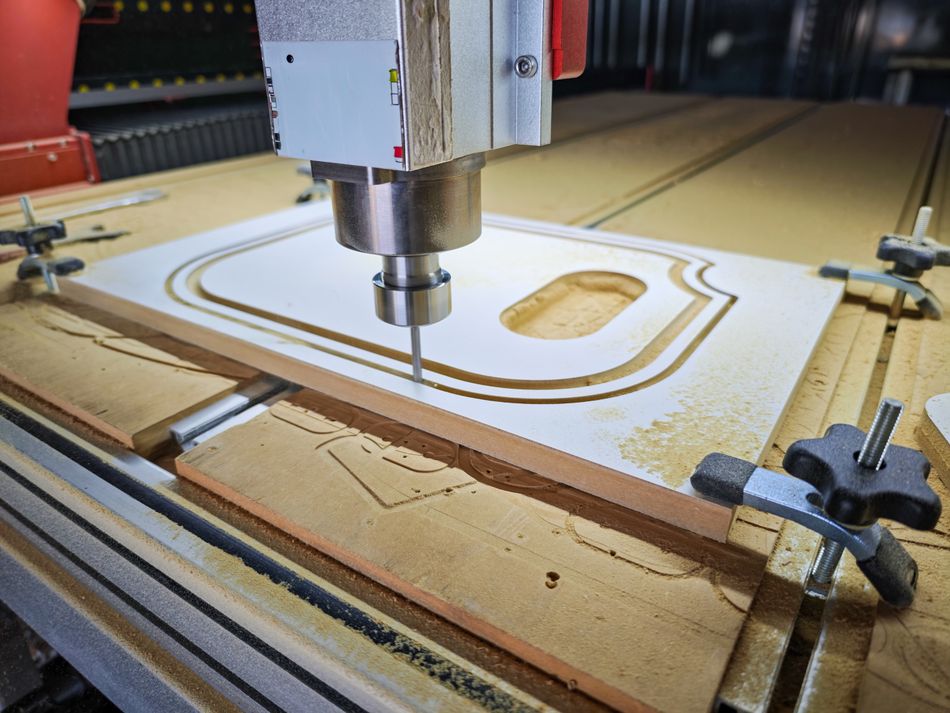
A CNC router combines a fast spindle, sharp tooling, and fine dust, so safety is engineered into the machine. The dedicated safety standard, ISO 19085-3, sets requirements for numerically controlled boring and routing machines, covering guarding, workpiece clamping, tool change, and dust and chip extraction.[9] Beyond the standard, most bad results trace back to a short list of avoidable mistakes.
Under-clamping the workpiece. Loose stock shifts mid-cut and can be thrown. Use a vacuum table or enough clamps to resist cutting forces.
Ignoring chip evacuation. In plastic and aluminum, trapped chips re-cut, melt, or weld to the bit. Dust collection is a safety measure too, especially for conductive carbon-fiber composites.
Pushing hard metals. A router lacks the rigidity for steel or titanium, which belong on a CNC milling machine.
Worn spindle bearings. Tired bearings introduce runout that ruins finish and accuracy.
Wrong bit for the material. Match the flute count and geometry of the cutting tool to wood, composites, or soft metals.
Ignoring operator safety. CNC routers can eject chips and hazardous dust at high speeds. Keep guards, interlocks, emergency stops, and dust extraction systems working.
Conclusion
A CNC router is a fast, gantry-based CNC machine purpose-built to cut large, softer materials, from wood and plastic to composites and soft metals, straight from a digital model. Its high-speed spindle, generous work envelope, and CAD to CAM to G-code workflow make it invaluable for woodworking, signage, prototyping, and composite work, while its lighter construction is exactly why it hands hard-metal jobs to a mill.
Understand the machine’s anatomy, its tolerance limits, and its feeds-and-speeds fundamentals, and the CNC router becomes one of the most productive tools in a modern workshop. To see where it sits among other CNC machines, explore Wevolver's overview of the types of CNC machines and its guide to CNC turning.
FAQ
What is a CNC router used for?
It cuts, carves, and engraves sheet materials, mainly wood, plastic, acrylic, MDF, foam, composites, and soft metals, for woodworking, signage, prototyping, and short-run parts.
How much does a CNC router cost?
Entry-level CNC routers can cost as little as about $1,000, far less than the equivalent of a CNC mill or machining center. However, industrial routers can cost five or six figures; high-end Haas routers sell for around $40,000 to $70,000.
What is the difference between a CNC router and a CNC mill?
A router uses a moving gantry and a fast, low-torque spindle over a large, stationary workpiece for soft materials. A CNC milling machine uses a rigid frame and a slower, high-torque spindle to cut hard metals to tighter tolerances of plus or minus 0.025 mm versus roughly plus or minus 0.13 mm for a router.
Can a CNC router cut metal?
Yes, but only soft, non-ferrous metals such as aluminum and brass, using the right router bit, conservative feeds and speeds, and good chip evacuation. It is not suited to steel or titanium.
What software does a CNC router need?
A CAD package to model the part and CAM software to generate toolpaths and export G-code, which the CNC control then executes.
Are CNC routers driven by stepper or servo motors?
Both. Stepper motors are common on hobby and mid-range machines, while servo motors provide the closed-loop feedback that industrial routers use for higher speed and accuracy.
How accurate is a CNC router?
A typical router holds positioning accuracy of about plus or minus 0.1 mm and can achieve part tolerances near plus or minus 0.13 mm, looser than a mill because of its lighter, longer gantry. That is more than enough for woodworking, signage, and most composite work.
References
[1] Todorova M, Dovramadjiev T, Dobreva D, Markov V, Zhecheva G, Cankova K. Realization of prototypes and models using a CNC router. Mater Res Proc. 2024;46:98-105.
[2] International Organization for Standardization. ISO 6983-1:2009. Automation systems and integration: Numerical control of machines: Program format and definitions of address words. Part 1: Data format for positioning, line motion and contouring control systems. 2nd ed. Geneva (CH): International Organization for Standardization; 2009.
[3] Albert A. Understanding CNC Routers [Internet]. Pointe-Claire (QC): FPInnovations – Forintek Division; 2008 [cited 2026 Jul 20]. p. 7.
[4] El-Hofy MH. Milling/routing of carbon fibre reinforced plastic (CFRP) composites (Doctoral dissertation, University of Birmingham); 2014.
[5] Tormach. CNC mill or CNC router: Why you may want both [Internet]. Waunakee (WI): Tormach; 2024 May 15 [cited 2026 Jul 20].
[6] International Organization for Standardization. ISO 230-2:2014. Test code for machine tools: Part 2: Determination of accuracy and repeatability of positioning of numerically controlled axes. 4th ed. Geneva (CH): International Organization for Standardization; 2014.
[7] Protocase. CNC machining tolerances [Internet]. Sydney (NS): Protocase; [cited 2026 Jul 20].
[8] Uneed. CNC machining tolerances guide: standard machining tolerances [Internet]. Uneed Precision Manufacturing; 2025 [cited 2026 Jul 20].
[9] International Organization for Standardization. ISO 19085-3:2021. Woodworking machines: Safety: Part 3: Numerically controlled (NC/CNC) boring and routing machines. 2nd ed. Geneva (CH): International Organization for Standardization; 2021.
in this article
1. What Is a CNC Router?2. How a CNC Router Works3. Anatomy: Key Components of a CNC Router Machine4. Materials a CNC Router Can CutCNC Router vs. CNC Milling Machine6. Feeds, Speeds, and Chip Load7. Applications of CNC Routers8. Safety and Common Mistakes9. Conclusion10. FAQ11. References