Microcontroller vs Microprocessor: The Real Differences
This article examines microcontroller vs microprocessor architectures at the system level, explaining how their hardware resources, boot requirements, software stacks, and application demands differ.

Last updated on 08 Sep, 2026. 19 minutes read
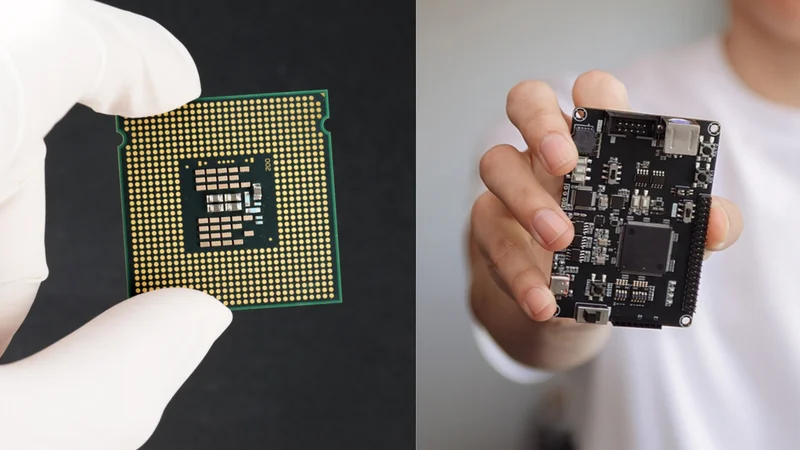
Microprocessor vs Microcontroller
Key Takeaways
Integration vs Partitioning – The microcontroller (MCU) holds its program memory, RAM, and peripherals on a single chip and starts executing user code immediately after reset. A microprocessor (MPU) carries only a small internal SRAM and boots through a multi-stage loader from external memory.
Hardware Architecture and MMUs – The hardware feature that actually separates the two classes is the memory management unit. ARM says all Cortex-A cores contain an MMU with full virtual-to-physical address translation and target a platform OS such as Linux, while Cortex-M cores offer only an optional memory protection unit that partitions the memory map into regions.
Deterministic Latency vs. Throughput – "Faster" is the wrong axis. ARM documents a 12-cycle interrupt latency on Cortex-M3 and Cortex-M4 and calls Cortex-M latency deterministic, while an application processor wins on throughput and loses on predictability.
Blurred Architectural Boundaries – The boundary is genuinely blurred: the ESP32 datasheet calls its own CPU a microprocessor, and Raspberry Pi sells both a Cortex-M33 microcontroller and a Cortex-A76 computer.
Application Selection Criteria – Choose an MPU when you need Linux, a rich display, or large memory. Choose an MCU when you need determinism, low power consumption, a simple PCB, or a low unit cost.
Introduction
If you ask ten engineers for the difference between a microprocessor and a microcontroller, you will get ten versions of the same sentence: a microcontroller is a computer on a single chip; a microprocessor is just the central processing unit. That is true, and it is also where most explanations stop.
The microcontroller vs microprocessor comparison extends far beyond clock speed or computing power. Both devices are integrated circuits built around a central processing unit with an arithmetic logic unit, a control unit, registers, and internal data-bus and address-bus paths. Both are often licensed from the same RISC core families. Once you pick one over the other, it shapes your entire system: how many chips sit on the PCB, how many layers that PCB needs, how the thing boots, what software you can run, and how it behaves when an interrupt fires.
The stakes are ordinary and constant: microcontrollers are the default compute inside most electronic devices you own, and microprocessors run the ones with screens and operating systems. This article examines microcontroller vs microprocessor architectures at system level, explaining how their hardware resources, boot requirements, software stacks, and application demands differ.
What is a Microcontroller?
A microcontroller is a self-contained computing system in one package. MCUs are all-in-one devices containing a CPU, ALU, programmable Non-Volatile Memory (NVM) (Flash), volatile Static Memory (SRAM), and a host of peripherals (UART, ADC, etc.) in a single package. [1]
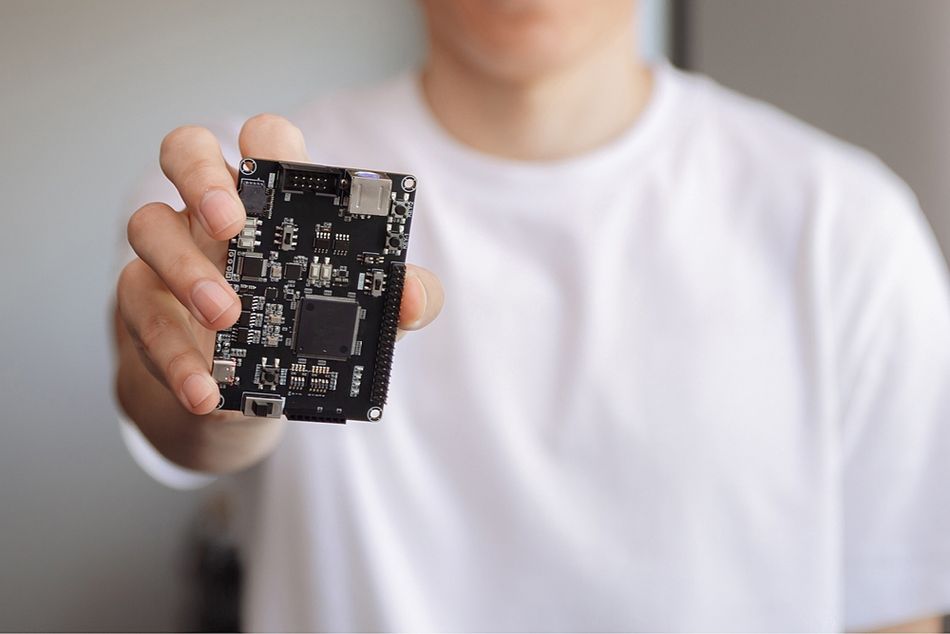
That integration goes further than the block diagram suggests. MCUs also include support circuitry such as oscillators for the master clock, timers/counters, watchdog timers, and reset circuitry, plus onboard voltage regulators that take one input rail and generate the internal supplies. In practice, a crystal, decoupling capacitors, and a 3.3 V rail may form the entire support circuit.
The I/O resources are also integrated. A typical MCU exposes general-purpose I/O ports, timers, an ADC, and serial interfaces such as UART, SPI and I2C directly from the same die, so the peripherals your control loop needs are already inside the part you bought.
The boot behavior follows from the memory arrangement. On power-on reset, an MCU begins executing the program code uploaded to its program memory (also called Flash memory). There is no loader chain and nothing to copy into RAM first: code runs from internal memory as soon as reset releases.
Classic 8-Bit Example
The ATmega328P behind the original Arduino UNO is the reference point most engineers share. Its datasheet lists 32 KB of in-system self-programmable flash program memory, 1 KB of EEPROM, and 2 KB of internal SRAM, driving 23 programmable I/O lines and an 8-channel 10-bit ADC, with up to 16 MIPS throughput at 16 MHz. [9]
Two details in that datasheet reveal MCU design priorities. The instruction set includes 131 powerful instructions, most of which execute in a single clock cycle, which makes cycle counting a practical design technique for small parts. [9] It also offers six sleep modes: idle, ADC noise reduction, power-save, power-down, standby, and extended standby. Such granular sleep modes exist because the device is expected to spend most of its life inactive, and their energy savings typically matter far more than clock speed in a battery-powered design.
There’s something worth knowing before selecting it for production: Microchip now lists the ATmega328P with the status "Not Recommended for New Designs". [10] It remains an excellent teaching part, and it is still stocked, but new products should start elsewhere.
Current 32-Bit Example
RP2350 illustrates the capabilities of a modern MCU. The product brief specifies Dual ARM Cortex-M33 or dual Hazard3 RISC-V processors @ 150MHz with 520 KB on-chip SRAM, in ten independent banks, plus 2 UARTs, 2 SPI controllers, 2 I2C controllers, 24 PWM channels, 4 or 8 ADC channels, a USB 1.1 controller, and 12 programmable I/O state machines. [6]
Note what the device deliberately omits. RP2350 supports up to 16 MB of external QSPI flash/PSRAM via a dedicated QSPI bus, so a bare RP2350 pairs with an external flash chip, while the RP2354 variants stack 2 MB of flash inside the package. [6] The MCU may lack internal flash and remain an MCU because it executes in place from flash rather than copying an OS image into DRAM.
Types of Microcontrollers
Microcontrollers can be classified by word size, memory arrangement, instruction set, and memory architecture. These categories overlap, so a single MCU may belong to several types.
8-bit, 16-bit, and 32-bit MCUs: Word size indicates how much data the processor can handle efficiently in one operation. Eight-bit MCUs suit simple, cost-sensitive control tasks. Sixteen-bit devices provide greater numerical range and precision, while 32-bit MCUs support larger programs, advanced communications, digital signal processing, and RTOS-based applications.
Embedded-memory and External-Memory MCUs: An embedded-memory MCU includes program memory, data memory, and major peripherals on-chip. An external-memory MCU depends on an external device for some program or data storage. External flash does not automatically make a device a microprocessor; its overall memory-management and execution model remain decisive.
RISC and CISC MCUs: RISC architectures emphasize a relatively regular instruction set suited to efficient pipelines and compiler optimization. CISC architectures provide more varied instructions and addressing modes. Modern processors often incorporate features associated with both approaches.
Harvard and Princeton MCUs: Harvard architecture uses separate program and data address spaces or access paths. Princeton, also called von Neumann architecture, uses a shared memory space. Many current MCUs employ modified Harvard designs that combine separate internal paths with a unified programmer-visible address map.
Recommended Reading: Introduction to Microcontrollers
What is a Microprocessor?
A microprocessor is the processing core of a system you still have to build. MPUs contain only a small amount of internal SRAM for registers and main memory. The MPU has just enough internal SRAM to load the second-stage bootloader. Therefore, MPUs rely on external volatile memory for main memory. [1]
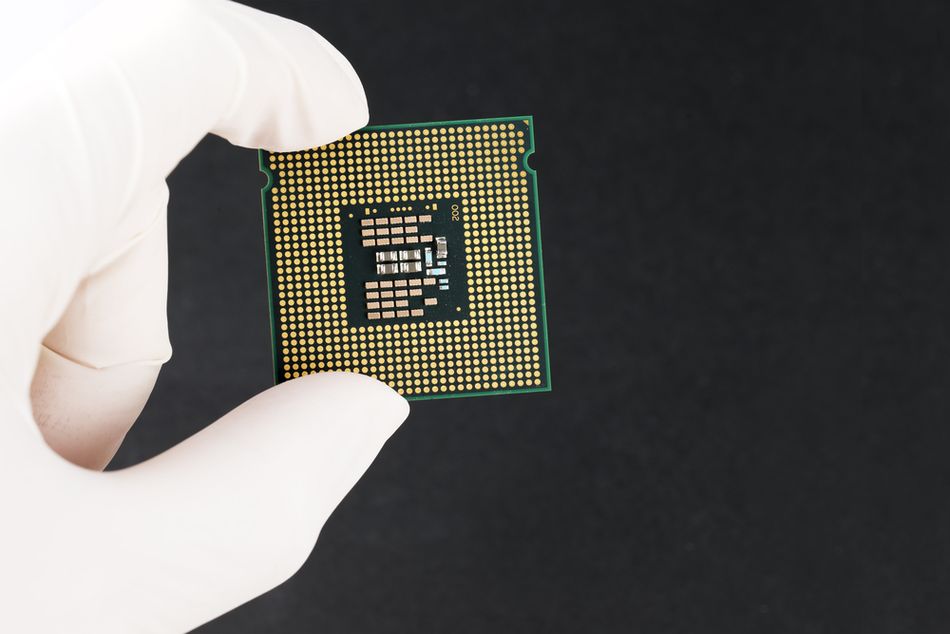
MPUs do not include mass storage memory to hold bootloader(s), program code, and data. You choose the technology yourself: NOR flash, which "can be mapped into the CPU address space, which allows for direct execution of program code" but is limited to "a few megabytes to a gigabyte", or NAND flash available in "tens of megabytes to tens of gigabytes", or managed flash such as eMMC and SD. [1]
Because nothing is preloaded, the boot sequence is a chain. The MPU starts a first-stage bootloader from internal ROM, which initializes the clock and external memory controllers and pulls a second-stage bootloader into internal SRAM. That stage brings up DRAM and then loads either a third-stage bootloader such as Das U-Boot or the Linux kernel directly. You configure, build, and can get wrong every one of those stages.
The support chips are not optional either. MPUs require multiple power-supply input voltages and include multiple power-supply pins. In addition, the power supply pins require specific power-up and power-down sequences, which is why a power management integrated circuit is included in the parts list.
The microprocessors were, and still are, the main processing unit(s) in personal computers and servers. The same class of silicon, in embedded form, is what drives smartphones and high-performance computing at the edge.
Types of Microprocessors
Microprocessors are commonly categorized by instruction-set philosophy and the workloads they are designed to accelerate.
CISC Microprocessors: Complex Instruction Set Computer processors provide a broad instruction set with varied instruction lengths and addressing modes. Modern x86 processors belong to this category, although their internal execution engines translate complex instructions into simpler operations.
RISC Microprocessors: Reduced Instruction Set Computer designs use comparatively regular instructions, extensive registers, and pipeline-friendly execution. ARM and RISC-V application processors are prominent examples. Their efficiency makes them common in smartphones, embedded Linux systems, networking equipment, and single-board computers.
Special-Purpose Processors: This group includes digital signal processors for filtering and communications, graphics processors for parallel image and video workloads, I/O processors for peripheral management, and coprocessors that accelerate specific functions. Historical categories also include transputers and bit-slice processors.
Scalar and Superscalar Processors: Scalar designs traditionally process one instruction at a time. A superscalar processor contains multiple execution units and can issue several independent instructions during one clock cycle. Most high-performance microprocessors combine superscalar execution with pipelining, caches, branch prediction, and out-of-order processing.
Recommended Reading: How is a Microprocessor Different from an Integrated Circuit?
Microcontroller vs Microprocessor: Side-by-Side
| Characteristic | Microcontroller (MCU) | Microprocessor (MPU) |
| Program Memory | Internal Flash, executed in Place | External NVM Loaded into External DRAM |
| Main Memory (RAM) | Internal SRAM, typically KB to Low MB | Small Internal SRAM plus External DRAM |
| Memory Management | Optional Memory Protection Unit, Physical Addresses Only | MMU with Virtual-to-Physical Translation |
| Boot | Runs User Code Directly Out of Reset | Multi-Stage Bootloader Chain from ROM |
| Typical Software | Bare Metal or an RTOS | Embedded Linux, or a full RTOS |
| Support Chips | Often None beyond a Crystal and Decoupling | DRAM, NVM, PMIC, sometimes a PHY |
| Package | QFN, TQFP, SPDIP | Typically BGA |
| PCB | Low Layer Count, No External Memory Bus to Route | Higher-Density Board with Timing and Impedance-Controlled Memory Routing |
| Strength | Determinism, Low Power, Low BOM Cost | Throughput, Memory Capacity, Rich Software Ecosystem |
The Real Dividing Line Is Memory Management
Peripheral integration is the distinction most often repeated, but it is not a reliable classification rule. Numerous application processors also integrate UART, SPI, I²C, timers, USB controllers, Ethernet interfaces, and sometimes ADCs. Conversely, some microcontrollers depend on external flash or other supporting devices. The more meaningful architectural distinction is how the processor manages memory, particularly whether it contains a full memory management unit.
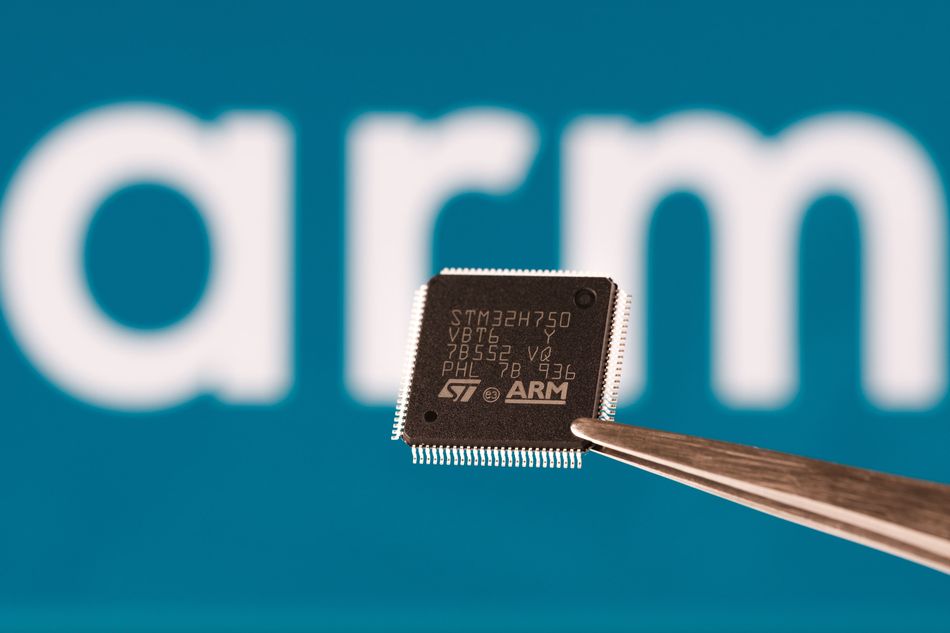
MPUs contain a Memory Management Unit (MMU) that translates virtual memory addresses to physical addresses and controls access to and from external memory. The MMU allows the MPU to address a greater address space than is physically available on MCUs. [1]
Cortex-A cores include a Memory Management Unit (MMU) with full virtual-to-physical address translation, and Cortex-A parts target high-performance systems running a platform OS like Linux or Android. [2]
Cortex-M instead offers an optional Memory Protection Unit that partitions the existing memory map into controlled regions. The Cortex-M33 specification describes an optional Memory Protection Unit (MPU) for process isolation, providing up to 16 MPU regions and a background region. ARMv8-M may implement an MPU based on the Protected Memory System Architecture (PMSA). [3] ARM assigns address translation only to the Cortex-A profile; Cortex-M therefore directly controls access to its existing physical memory map rather than creating a separate virtual address space. [2]
One Acronym, Two Meanings
This topic contains a genuine naming collision that regularly confuses newcomers:
In Microchip - System-Level Documentation, MPU means microprocessor unit. [1]
In ARM - Architecture Documentation, MPU means memory protection unit. [5]
Both usages are correct within their respective contexts. The sentence such as “this MPU includes an MPU” can therefore mean that a microprocessor unit includes a memory protection unit. When reading a datasheet, reference manual, or application note, the surrounding architectural context must determine which definition applies.
The acronym MMU, by contrast, consistently means memory management unit and normally implies address translation through page tables.
Why the MMU Determines Operating-System Capability?
The practical consequence is what you can run. Linux can technically run without an MMU, and the kernel documents exactly what you give up. Under NOMMU builds, there is no fork(), and clone() must be supplied the CLONE_VM flag. Requesting a fixed mapping fails: Supplying MAP_FIXED or requesting a particular mapping address will result in an error. Shared mappings of regular files carrying read, exec, and write permissions are listed for the no-MMU case as "not supported". Because anonymous mappings are backed by physical pages, and the entire map is cleared at allocation time, allocation can cause significant delays during a userspace malloc().
That is not a Linux you would ship a product on if you had a choice. It is why "runs Linux" and "has an MMU" are, in practice, the same requirement, and why the MMU is the honest dividing line.
The memory capacity reinforces it. Embedded Linux "recommends 64 MB+" of external volatile memory, and a frame buffer for 24-bit VGA alone "requires 921 kB". [1] A 520 KB MCU cannot hold either.
Recommended Reading: RISC-V vs ARM: A Comprehensive Comparison of Processor Architectures
Boot, Determinism, and Real-Time Behavior
The principal advantage of an MCU in control applications is predictable timing. Interrupt latency for Cortex-M is the number of clock cycles required for a processor to respond to an interrupt request. The figures are 16 cycles on Cortex-M0, 15 on Cortex-M0+, and 12 cycles on both Cortex-M3 and Cortex-M4 at zero wait states. [4]
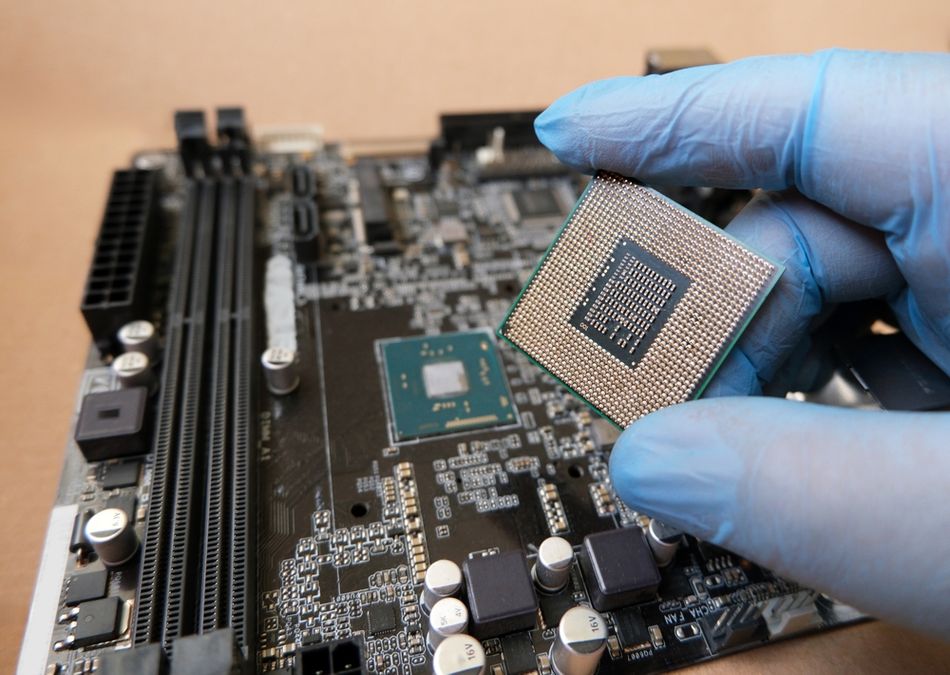
Interrupt latency on Cortex-M processors is deterministic and has no hidden software overhead, as seen in many other architectures. [4] Once a second interrupt is already pending, tail-chaining skips the unstack and restack, costing just six cycles in the Cortex-M3 and Cortex-M4 processors.
Compare that with a Cortex-A76, a Superscalar Processor Core, performing full out-of-order processing with non-blocking, high-throughput L1 caches and advanced instruction and data prefetching. [8] Each of those features raises average throughput and widens the gap between best-case and worst-case response. Add a Linux scheduler, virtual memory, and cache and TLB misses on top, and worst-case latency becomes a measurement exercise rather than a datasheet lookup.
The nested vectored interrupt controller in Cortex-M33 supports up to 480 physical interrupts with 8 to 256 priority levels. The core is a three-stage pipeline, unlike the out-of-order design in Cortex-A76. [5][8] Software that occasionally wakes up to check a sensor's value, or needs a deterministic response time of a few nanoseconds, will use a microcontroller.
That is why motor control loops, medical devices, and safety interlocks tend to stay on microcontrollers even when a cheap application processor offers far more processing power.
Which One Is Faster?
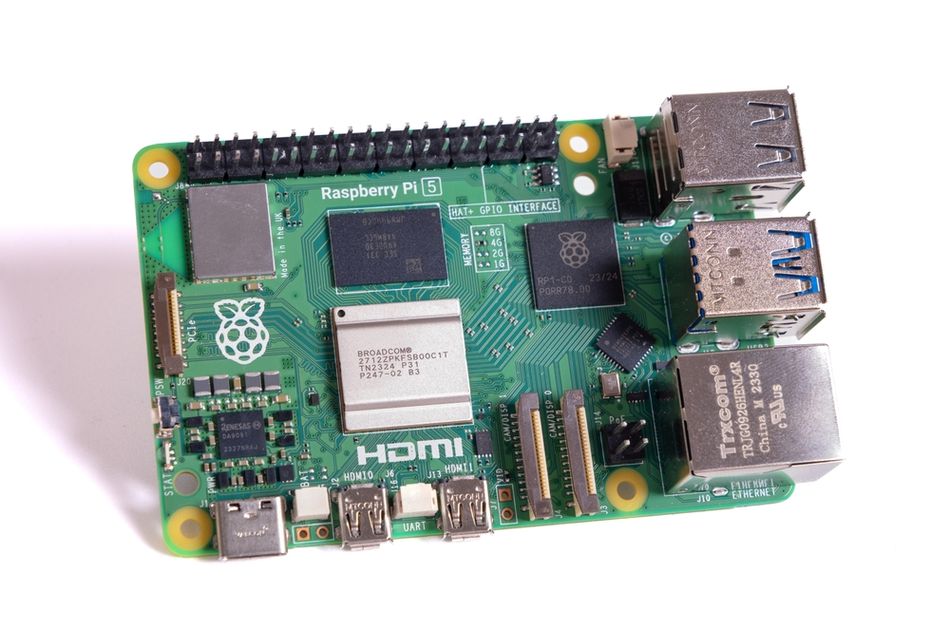
On raw throughput, an application-class MPU wins decisively. Raspberry Pi 5 uses a Broadcom BCM2712 2.4GHz quad-core 64-bit ARM Cortex-A76 CPU, with Cryptographic Extension, 512KB per-core L2 caches, and a 2MB shared L3 cache, paired with LPDDR4X-4267 SDRAM. [7] RP2350 instead runs two Cortex-M33 cores at 150 MHz. [6] The clock-rate ratio is 16:1 before accounting for core count, cache hierarchy, memory bandwidth, or instructions completed per cycle.
Cortex-M33 is rated at 4.1 CoreMark/MHz. [5] Multiplying that figure by a 150 MHz clock in RP2350 yields approximately 615 CoreMark per core. This is an illustrative calculation from published specifications, not a reported benchmark result. The benchmark documentation cautions that “unlike Dhrystone, CoreMark has specific run and reporting rules,” whereas Dhrystone “results are not certified or verified; they are not enforced.”
Here, two cautions matter before using these figures to select a device.
First, CoreMark measures CPU execution, not overall system performance. It measures “the performance of microcontrollers (MCUs) and central processing units (CPUs) used in embedded systems” through list processing, matrix manipulation, a state machine, and CRC. It does not capture DMA engine performance, flash wait states, peripheral transfers, memory contention, or the interrupt path.
Second, raw throughput can be the wrong optimization target for a battery-powered product. The separate energy benchmark family exists because applications require optimization tradeoffs between all three energy demands and performance, using profiles for deep-sleep energy, peripheral energy, and active power. A device that loses on CoreMark but wins on ULPMark may be the better choice for a sensor expected to operate for ten years from one battery.
In short, a microprocessor usually completes compute-intensive workloads faster; a microcontroller usually delivers simpler, more predictable response timing. Select the architecture according to the performance question the product actually needs answered.
Power, Cost, and Board Design
Power is where the two classes stop resembling each other, and the numbers are worth seeing side by side with their measurement conditions attached.
| Device | Active | Sleep | Source Condition |
| ATmega328P (8-bit MCU) | 1.5 mA | 1 µA Power-Down | at 3 V, 4 MHz |
| ESP32 (MCU with Radio) | 30 mA to 68 mA | 10 µA Deep Sleep, 5 µA Hibernation | Dual Core at 240 MHz |
| ARM Cortex-M33 Core | 3.8 µW/MHz | Not Stated | 28HPC+, 7-track, 0.81 V, 0 °C, Minimum Configuration |
| Raspberry Pi 5 (Cortex-A76 Board) | 5 V / 5 A Supply Specified | Not Stated | Board-Level Power Delivery over USB-C |
The Cortex-M33 figure is core dynamic power in a minimum configuration that excludes ETM, MPU, FPU, DSP, and debug, so it is a silicon-implementation number rather than a chip-level one. [5] The Raspberry Pi 5 figure is a supply requirement for a whole computer, not processor draw. They are not directly comparable, which is itself the point: an MCU is specified in microamps and a single-board computer in amps.
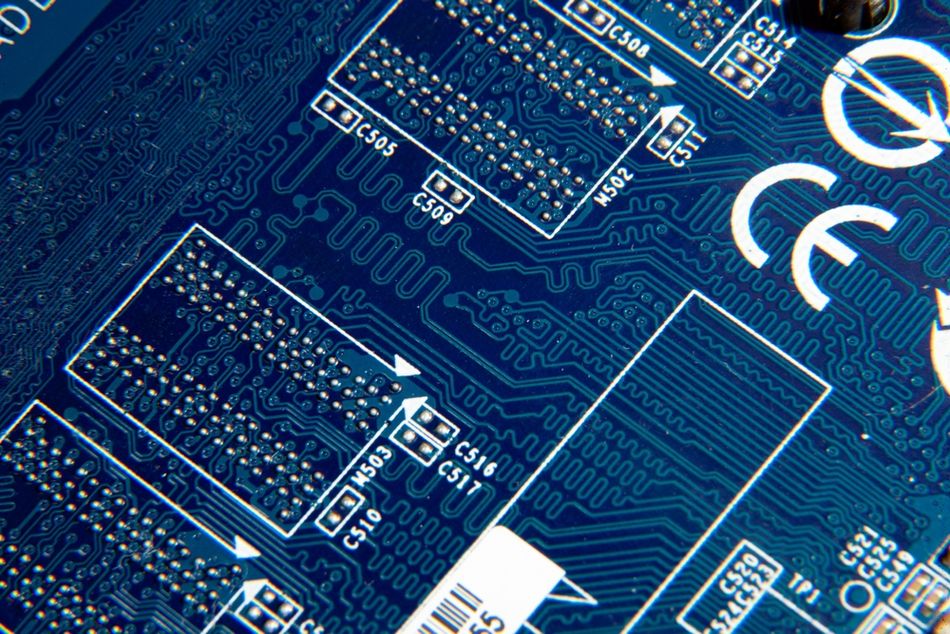
MPUs typically come in Ball Grid Array (BGA) packages. BGAs require a higher-density Printed Circuit Board (PCB) to route signals. In addition, memory signal lines require specific timing and impedance. Using large external DDR memory requires extensive fine-tuning and specialised expertise, which can be a significant barrier to using an MPU; plus, flash and additional components require multiple PCB layers, increasing lead time and cost.
Lifecycle is the quiet factor engineers forget. Raspberry Pi states it expects the RP2350 "to remain in production until at least January 2045", a commitment that matters more than a benchmark score for industrial and medical devices. [6]
The Boundary Is Genuinely Blurred
Microchip is candid that "as silicon chip processes improved, the differences have grown closer in recent years, making it difficult to distinguish them." [1] Three families of parts sit in the gap:
1. High-Performance MCUs that Do MPU-Class Work: Sitara AM243x features up to four ARM Cortex-R5F cores, each running up to 800 MHz. This is 10 times the computing capability of traditional, flash-based MCUs, consuming less than 1 W of active power. It can target up to Safety Integrity Level 3 (SIL 3) of the IEC 61508 standard.
2. Entry-Level MPUs that Behave like MCUs: STM32MP13 has one Cortex-A7 running at 1 GHz and can be integrated into a simple four-layer PCB. The microprocessors can now run a real-time operating system. In contrast, the STM32MP25 carries two Cortex-A35 cores and a neural processing unit (NPU) capable of 1.35 TOPS.
3. System-in-Package and System-on-Module Products: These fold the DRAM, power management, and sometimes flash and an Ethernet PHY into one package or module, so integrators remove all this complexity of designing around a bare microprocessor. SoM turns an MPU design into something closer to placing a single component.
Is ESP32 a Microcontroller or a Microprocessor?
The ESP32 is a microcontroller or, more precisely, a wireless system-on-chip built around microcontroller-class integration. The confusion arises because its CPU is identified as an Xtensa single-/dual-core 32-bit LX6 microprocessor(s) operating at up to 240 MHz. In this context, microprocessor refers to the processor core inside the device, not the complete chip.
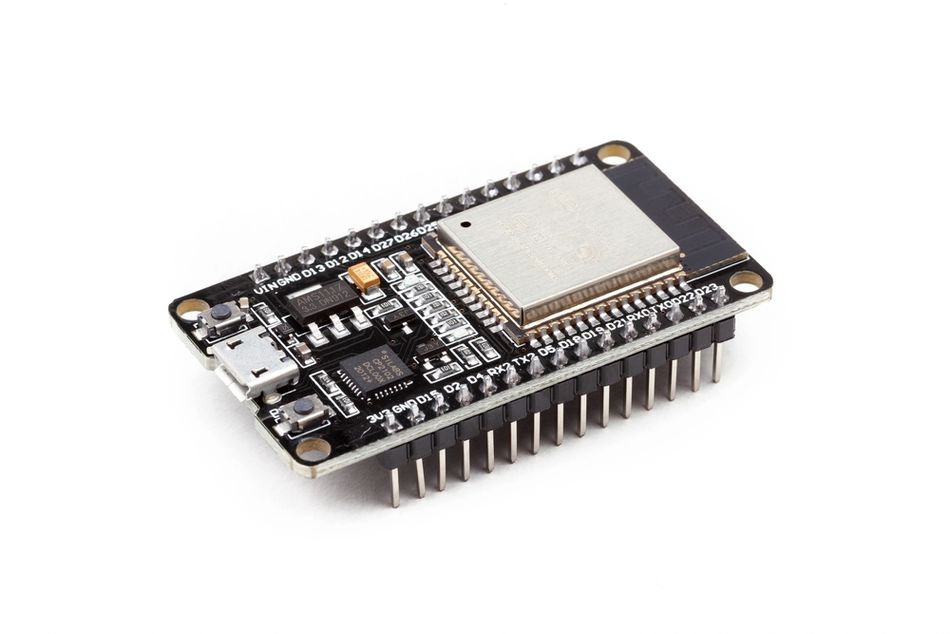
The memory architecture clarifies the classification. ESP32 integrates 448 KB of ROM for booting and core functions and 520 KB of on-chip SRAM for data and instructions, while supporting up to 16 MB of external flash through QSPI. The internal ROM provides boot and system functions, while application firmware is normally stored in external serial flash and executed using the device’s integrated memory architecture.
ESP32 also combines its processing cores with GPIO, timers, communication controllers, analog interfaces, wireless radios, interrupt handling, clock generation, and low-power circuitry. These integrated resources let it monitor sensors, control actuators, manage communications, and run firmware without the external DRAM and multistage software environment normally associated with an application processor.
Its power profile reinforces that classification. The active current ranges from 30 mA to 68 mA with both cores operating at 240 MHz, falling to 10 µA in deep sleep and 5 µA in hibernation. Such modes allow the device to wake periodically, collect or transmit data, and return to sleep, behaviour typical of battery-powered microcontroller systems.
ESP32 can run bare-metal software or an RTOS, although wireless protocol stacks, background tasks, and shared system resources can affect timing predictability. It remains an MCU-class device because its complete architecture is optimized for embedded control, integrated connectivity, and low-power operation.
Is a Raspberry Pi a Microcontroller?
The answer depends on the product. Raspberry Pi 5 is not a microcontroller; it is a single-board computer built around the BCM2712 application-processor SoC. It combines four Cortex-A76 cores with external LPDDR4X memory and supports an operating temperature range of 0 °C to 70 °C. [7] Its architecture is intended to run a complete Linux operating system, desktop applications, network services, and other process-based software.
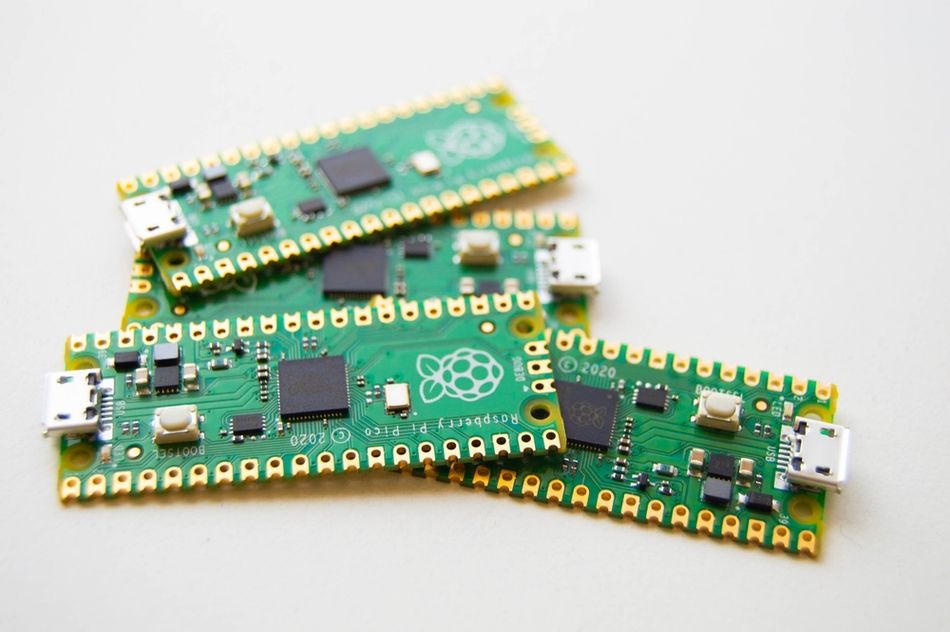
Raspberry Pi Pico products belong to a different category. The original Pico uses the RP2040 microcontroller, which provides a Dual-core ARM Cortex-M0+ operating at up to 133 MHz, 264 kB in six independent banks, and no on-chip flash. The lack of internal flash means the RP2040 isn't a microprocessor: application code is stored in external QSPI flash and executed through an MCU-style boot architecture.
Pico 2 uses the newer RP2350 microcontroller. The first-generation Pico is therefore based on the RP2040 microcontroller chip, while Raspberry Pi Pico 2 is based on the RP2350 microcontroller chip.
Unlike Raspberry Pi single-board computers, Pico boards do not normally boot Linux from removable storage. They are programmed by flashing binaries to the on-board flash memory and execute embedded firmware directly. Their intended workloads include reading sensors, generating PWM signals, controlling motors, handling communication protocols, and performing other specific real-time tasks.
So a Raspberry Pi Pico is a microcontroller board, and a Raspberry Pi 5 is a computer. Both share the same brand, which is exactly why the question keeps coming up.
Recommended Reading: Arduino vs Raspberry Pi: Choosing the Right Platform for Your Next Project
How to Choose: Microcontroller vs Microprocessor
It is better to evaluate these questions in order. The first non-negotiable requirement will usually determine the architecture, although products combining Linux with hard real-time control may need both device classes.
Do you need a general-purpose operating system? If the product requires Linux userspace, standard software packages, a web browser, complex networking services, or isolation between untrusted processes, it normally needs an MMU and an application-class microprocessor.
What is the guaranteed response-time requirement? If an event must be handled within a fixed number of microseconds, an MCU is usually the stronger choice. Verify the complete interrupt path, including core latency, flash wait states, disabled interrupts, RTOS overhead, and higher-priority tasks—not just the published best-case figure.
What is the energy budget? For coin-cell, battery-powered, or energy-harvesting systems, evaluate sleep current, wake-up time, active energy per task, and peripheral power. Clock frequency alone reveals little about total energy consumption.
What does the user interface require? High-resolution displays, video processing, browsers, and complex 3D graphics generally favour microprocessors. Simpler menus, gauges, animations, and touch interfaces can increasingly be handled by high-performance MCUs with graphics accelerators and external display memory.
How much memory does the complete workload consume? Include application code, communication buffers, frame buffers, file-system caches, security libraries, and machine-learning models. Embedded Linux commonly requires at least 64 MB of volatile memory. MCUs can use external SDRAM or PSRAM, but adding memory alone does not provide virtual memory or process isolation.
What hardware complexity can the project support? A bare MPU may require BGA assembly, controlled-impedance DDR routing, several power rails, PMIC sequencing, external storage, and a multistage bootloader. A system-on-module or system-in-package reduces this layout risk, although it may increase unit cost and limit component-level flexibility.
How long must the product remain available? Review guaranteed production lifetime, development-tool support, operating-system maintenance, security updates, package availability, and replacement options. RP2350 production, for example, is expected to continue “until at least January 2045,” making longevity a measurable design requirement.
The practical default is to begin with the simplest architecture that satisfies every verified requirement. Choose an MCU for deterministic control, low power, fast startup, and minimal hardware. Move to an MPU when virtual memory, substantial external RAM, advanced graphics, or a general-purpose operating system becomes essential.
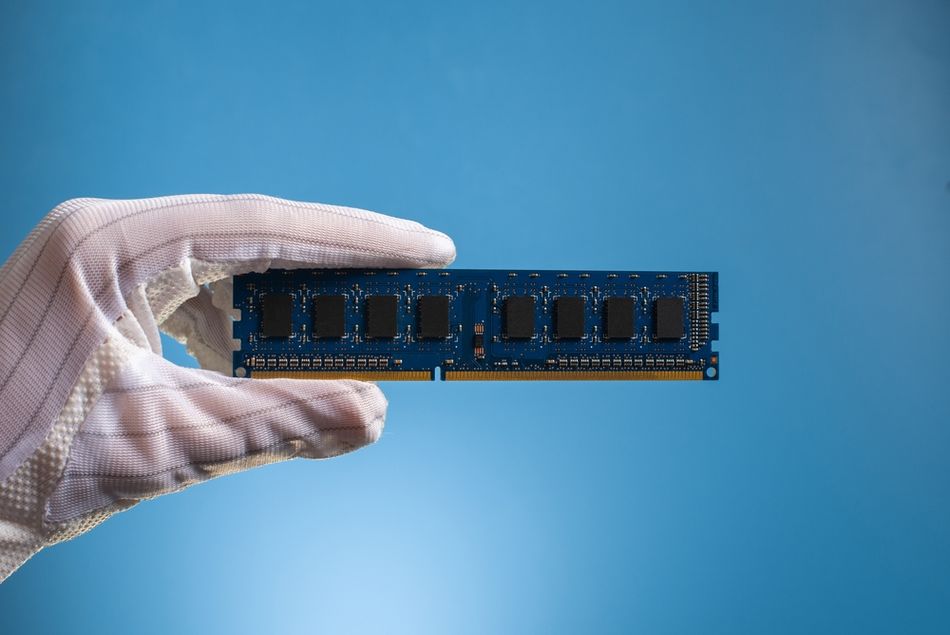
That transition affects the PCB, power architecture, boot process, and software stack; moving back after building the application around Linux usually requires a major rewrite.
Common Mistakes
The distinction between an MCU and MPU becomes clearer once you consider the complete system. However, specifications, terminology, and benchmark figures can still be misleading. These mistakes can lead to unnecessary cost, excessive complexity, or inadequate performance.
Treating Clock Speed as the Comparison: A 2.4 GHz application processor and a 150 MHz MCU don't compete on the same axis. Compare response time for control, throughput for compute, and energy per task for battery products.
Assuming "No Internal Flash" means Microprocessor: RP2350 executes in place from external QSPI flash and is unambiguously a microcontroller. [6] The MMU, not the flash location, is the test.
Reading MPU as One Thing: In a system-level datasheet, it is a microprocessor unit; in ARM architecture documentation, it is a memory protection unit.
Underestimating the Board Cost of MPU: The processor is one line on a BOM that also includes DRAM, a PMIC, mass storage, and layers.
Designing in a Part that is Not Recommended for New Designs: The ATmega328P is the common example, and its status is on the product page. [10]
Quoting a Benchmark You Did Not Run: ARM footnotes its own performance figures against a specific "Product, compiler, and compiler flags", and EEMBC's whole reason for replacing Dhrystone was that unverified results "are not enforced".
The right choice depends on the full system, not a single attractive specification. Evaluate real workloads, supporting hardware, software demands, energy use, and long-term availability before committing to either architecture.
Recommended Reading: Selecting a Microcontroller (MCU) for Your IoT Product
Conclusion
The difference between a microprocessor and a microcontroller is best understood as a question of memory, not power or speed. A microcontroller keeps program memory, RAM, and peripherals on a single chip, so it starts executing out of reset, responds predictably, and can sit on a simple board drawing microamps between events. A microprocessor keeps its main memory outside, gains an MMU and, with it, virtual memory and Linux, and brings along DRAM, a PMIC, mass storage, and a bootloader chain.
Modern parts blur the categories on purpose, and the vendors say so themselves. That does not make the distinction useless; it makes the underlying criteria more useful than the labels. Ask whether you need address translation, what your worst-case latency is, and what your energy and BOM budgets allow. Those three answers will point to the right chip.
Frequently Asked Questions
Q. What is the difference between a microcontroller and a microprocessor?
A. The difference between microprocessor and microcontroller architecture is integration. A microcontroller combines the CPU, memory, and peripherals on one chip, while a microprocessor typically uses external DRAM and storage to support larger operating systems.
Q. Which one is faster, a microcontroller or a microprocessor?
A. A microprocessor is far faster at computation: a quad-core Cortex-A76 at 2.4 GHz against a dual-core Cortex-M33 at 150 MHz is not a close contest. A microcontroller is faster and more predictable in responding, with documented interrupt latency of 12 cycles on Cortex-M3 and Cortex-M4 and deterministic behavior by design.
Q. Is ESP32 a microcontroller or a microprocessor?
A. The ESP32 is a microcontroller-based wireless SoC. It integrates processor cores, SRAM, communication peripherals, and low-power circuitry; supports bare-metal or RTOS software; and offers a power-saving mode that can substantially reduce current during inactivity.
Q. Is a Raspberry Pi a microcontroller?
A. Raspberry Pi 5 is an application-processor computer designed to run Linux, whereas Pico boards use RP2040 or RP2350 microcontrollers. A Pico can control a washing machine, but Raspberry Pi 5 supports richer applications.
Q. Can a microcontroller run Linux?
A. Most microcontrollers cannot run standard Linux because they lack an MMU and sufficient RAM. Specialized NOMMU Linux builds exist, but their process and memory limitations make an RTOS or bare-metal firmware more practical.
Q. Do microcontrollers use Harvard architecture?
A. Many microcontrollers use a modified Harvard architecture with separate instruction and data paths, improving access efficiency. This architecture is independent of power-saving features, which instead rely on clock gating, sleep states, and peripheral control.
Q. Are microcontrollers and microprocessors both integrated circuits?
A. Yes. Both are ICs containing a central processing unit with an arithmetic logic unit, a control unit, registers, and internal buses. The difference is what else is on the die and whether it translates addresses.
References
[1] Microchip Technology. Differences Between MCU and MPU Development [Cited 2026 September 03] Available at: Link
[2] ARM. Navigating the Cortex Maze [Cited 2026 September 03] Available at: Link
[3] ARM. Cortex-M33 - Product Page [Cited 2026 September 03] Available at: Link
[4] ARM. Beginner Guide on Interrupt Latency and Interrupt Latency of the ARM Cortex-M Processors [Cited 2026 September 03] Available at: Link
[5] ARM. Cortex-M33 - Product Specifications [Cited 2026 September 03] Available at: Link
[6] Raspberry Pi. RP2350 - Product Brief [Cited 2026 September 03] Available at: Link
[7] Raspberry Pi. Raspberry Pi 5 - Product Brief [Cited 2026 September 03] Available at: Link
[8] ARM. Cortex-A76 - Product Page [Cited 2026 September 03] Available at: Link
[9] Atmel / Microchip Technology. ATmega328P Automotive Complete Datasheet [Cited 2026 September 03] Available at: Link
[10] Microchip Technology. ATmega328P Product Page [Cited 2026 September 03] Available at: Link
in this article
1. Key Takeaways2. Introduction3. What is a Microcontroller?4. Types of Microcontrollers5. What is a Microprocessor?6. Types of Microprocessors7. Microcontroller vs Microprocessor: Side-by-Side8. The Real Dividing Line Is Memory Management9. Boot, Determinism, and Real-Time Behavior10. Which One Is Faster?11. Power, Cost, and Board Design12. The Boundary Is Genuinely Blurred13. How to Choose: Microcontroller vs Microprocessor 14. Common Mistakes15. Conclusion16. Frequently Asked Questions17. References