Resin 3D Printing: An Introductory Guide for Engineers
This guide explores how resin 3D printing works, the physics and chemistry behind it, practical design considerations, performance data, and safety recommendations.

24 Apr, 2026. 11 minutes read
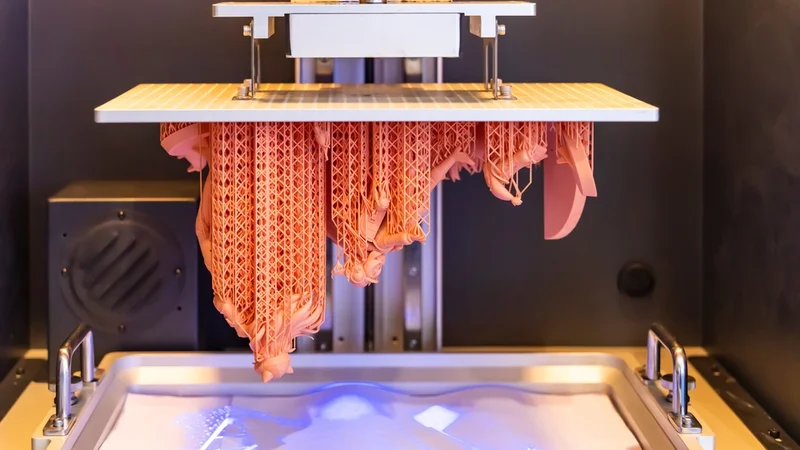
Resin 3D printing is a group of additive manufacturing processes that use ultraviolet light to cure liquid photopolymer resin layer by layer. Unlike filament-based fused deposition modeling (FDM/FFF), resin printing produces parts with extremely fine details and smooth surfaces because each new layer bonds chemically to the one beneath it.
The technology has evolved from early stereolithography machines to a wider pool of technologies, including modern LCD and digital light processing (DLP) printers, giving engineers a versatile way to produce prototypes, tooling, and even end-use parts. Over the past decade, these resin 3D printing systems have improved dramatically. Printer resolutions now routinely fall below 50 microns, materials have become stronger and more durable, and industrial machines can print far faster than earlier generations. As a result, resin 3D printing has moved beyond niche prototyping into serious engineering workflows.
Understanding how the process works—and how it differs from filament printing—helps explain where resin excels and where it still has limitations. While this guide is written with engineers in mind, it begins with a clear overview of the basic process and terminology so newcomers can follow along. We’ll explore how liquid resin turns into solid parts, why different resins behave differently, and how to choose the right material for a given application.
Photopolymerization and Resin Basics
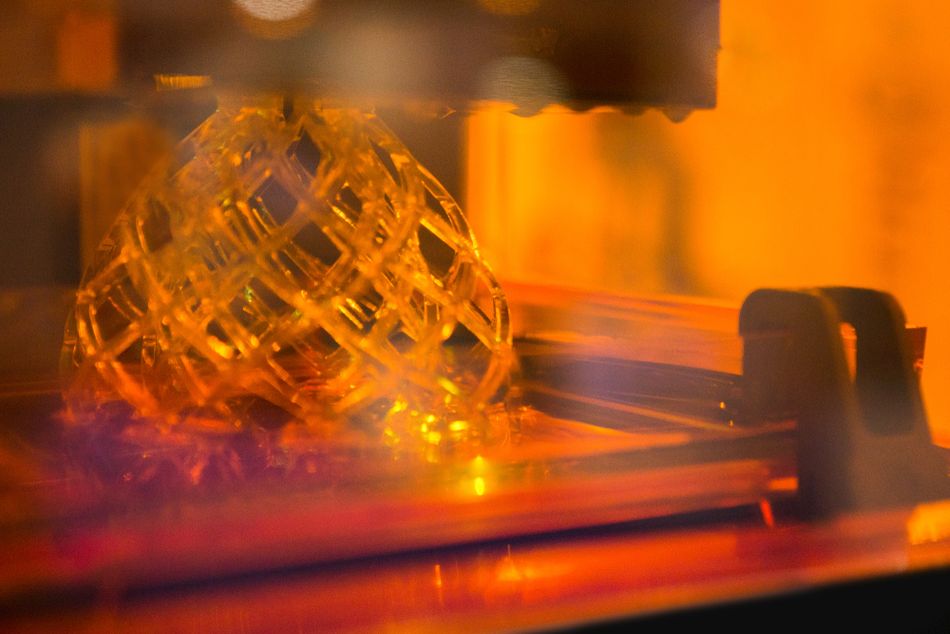
At the heart of resin 3D printing is a process called photopolymerization, where ultraviolet (UV) light turns liquid resin into solid plastic. A printer’s vat holds a liquid mixture of reactive molecules and light-sensitive compounds. When UV light hits the resin, these compounds trigger a reaction that links the molecules together, transforming the liquid into a solid layer. The printer repeats this process layer by layer to build the final part.
How those layers form depends on the printer’s architecture. In many desktop machines, the build platform lifts slightly after each layer is cured, allowing fresh liquid resin to flow beneath the part before the next exposure. Other systems move in different ways, but the principle remains the same: the printer repeatedly exposes thin layers of resin while ensuring new liquid material reaches the curing area.[1]
Resins are carefully formulated to control how the process behaves. Manufacturers add pigments for color, stabilizers for shelf life, and other ingredients that influence viscosity, strength, flexibility, and heat resistance. Because each layer bonds chemically with the one below it, resin prints tend to have smooth surfaces and strong layer adhesion.[2] Like all curing plastics, resin shrinks slightly as it solidifies because the molecules pack more tightly together. This can introduce small dimensional changes or internal stresses.[3]
Why Choose Resin 3D Printing Over Other Technologies?
Resin 3D printing stands out for high detail, fine surface finish, and precision compared with other additive and subtractive methods. Unlike FDM, which can leave visible layer lines, or SLS and powder-based printers, which produce slightly rough or grainy surfaces, resin prints deliver smooth surfaces and sharp edges straight from the printer. This makes it especially suited for applications where appearance, tight tolerances, or intricate geometries matter, such as dental models, jewelry, and high-detail prototypes.
Resin printing also offers advantages in speed, complexity, and prototyping efficiency. Compared with CNC machining or injection molding, it requires no molds and can produce complex internal structures that are otherwise difficult or expensive to make. While FDM and SLS are better for large, robust parts, resin printing excels at smaller components with high precision, rapid iteration, and detailed features, making it a preferred choice for functional prototypes, miniatures, and parts where accuracy and surface quality are important.[4]
Major resin 3D printing applications include:
Rapid prototyping: Small features and smooth surfaces allow engineers to evaluate form, fit, and function of complex components.
Dental and medical models: SLA and DLP printers produce accurate crowns, aligners, surgical guides, and anatomical models.
Microfluidics and lab-on-a-chip devices: High resolution enables very narrow channels.
Investment casting: Castable resins burn out cleanly, replacing wax patterns for jewelry, aerospace, and other precision castings.
Hobbyist projects: Detailed miniatures and tabletop gaming models with smooth surfaces and fine details.
End-use components: Tough or high-temperature resins create jigs, fixtures, housings, and small mechanical parts.
Functional prototypes with snap-fits: ABS-like resins provide stiffness and impact resistance for housings, clips, and screw bosses.
Transparent or specialty parts: Clear, flexible, or biocompatible resins expand design possibilities for optical, medical, or custom applications.
Recommended reading: SLA vs SLS: Choosing the Right Laser 3D Printing Technology
Types of 3D Printing Resin
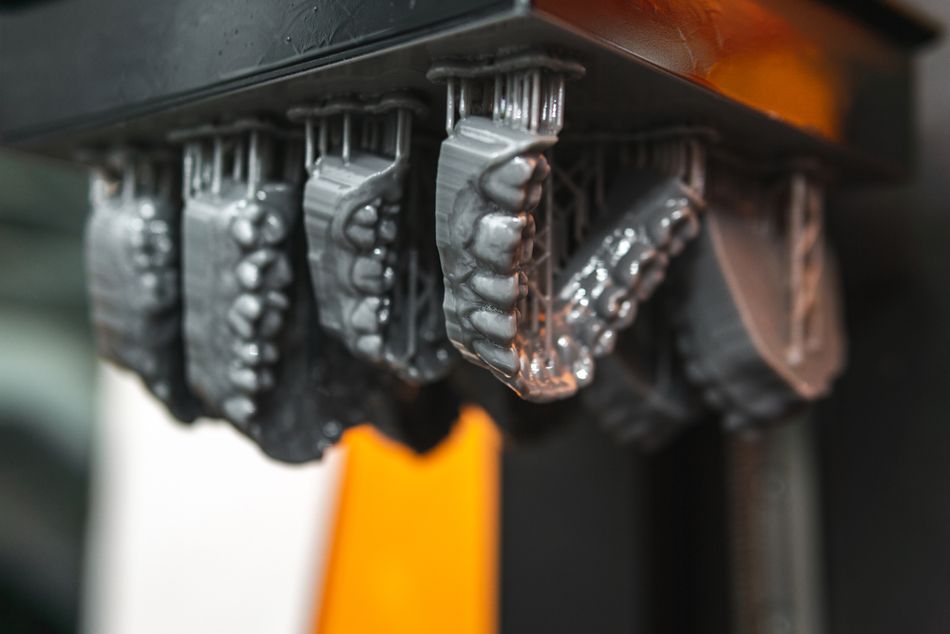
Engineers can select from different resin families tailored for specific applications, as shown in the table below that groups resins by their broad material category. Note that unlike FDM, resins are classified by their function (e.g., “tough”) rather than their chemical composition (e.g., PLA) because they are complex, proprietary mixtures of oligomers, monomers, and photoinitiators.
Resin type | Typical tensile strength (MPa) | Typical Elongation at break | Key features | Example applications | Example products |
Standard (rigid) resin | ~20–50 | ~5–10% | Affordable, easy to print, high surface detail | Concept models, figurines | Elegoo Standard Photopolymer Resin, Anycubic Standard Resin, Siraya Tech Fast |
Tough / ABS-like resin | ~30–55 | ~10–30% | Higher impact resistance and ductility than standard resins | Functional prototypes, enclosures | Formlabs Tough 2000 Resin V2, Siraya Tech Blu, Anycubic ABS-Like Resin Pro 2 |
High-strength engineering resin | ~55–90 | ~3–10% | High stiffness, good mechanical strength, often improved heat resistance | End-use parts, mechanical components, tooling | Formlabs Rigid 10K Resin, Loctite 3D 3843, BASF Ultracur3D RG 3280 |
Flexible resin | ~5–10 | ~100–160% | Rubber-like behavior with high elongation and resilience | Gaskets, flexible housings, grips | Formlabs Elastic 50A Resin V2, Siraya Tech Tenacious |
Castable resin | ~20–50 | Low | Burns out cleanly for investment casting processes | Jewelry casting patterns, dental casting | BlueCast X-One, Formlabs Castable Wax Resin, PowerResins Wax Castable |
Biocompatible / dental resin | ~30–60 | ~5–15% | Certified for medical or dental contact; sterilization compatible | Surgical guides, dental models, aligner molds | Formlabs Dental SG Resin, NextDent SG, SprintRay Surgical Guide 2 |
ABS-like formulations deserve special mention because they bridge the gap between brittle standard resins and flexible elastomers. These ABS-like resins incorporate urethane acrylate chains and impact modifiers, providing higher impact strength and moderate elongation while maintaining stiffness.[5] They are therefore widely used for engineering prototypes that require snap-fit features or screw bosses.
Resin Handling and Preparation
Resin handling is an important part of working with resin 3D printers because the material remains chemically reactive until it is fully cured. Before printing, the resin is typically mixed or gently agitated to redistribute pigments and additives that may settle during storage. The liquid is then poured into the printer’s resin vat, where it remains exposed throughout the printing process. Because resins can be sensitive to temperature and light, manufacturers usually recommend storing bottles in a cool, dark place and keeping containers tightly sealed when not in use.
Basic safety precautions are also essential when working with liquid photopolymer resins. Uncured resin can irritate skin and eyes, and prolonged exposure should be avoided. Most users handle resin while wearing nitrile gloves and protective eyewear, and many work in well-ventilated areas to reduce inhalation of fumes. When prints are finished, any leftover resin can usually be filtered and reused, while contaminated or fully cured resin must be disposed of according to local waste guidelines.
Recommended reading: Types of 3D Printing Materials and How They Form Backbone of Additive Manufacturing
Resin 3D Printing Technologies
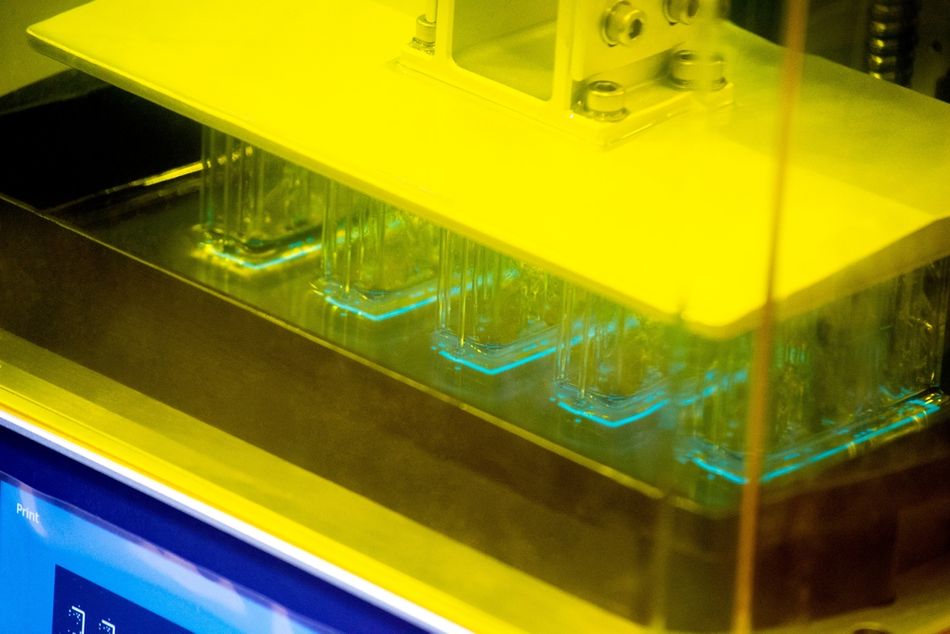
Several different technologies fall under the umbrella of resin 3D printing. All of them rely on the same basic principle—using light to cure liquid photopolymer resin into solid layers—but they differ in how that light is delivered. Some methods trace each layer with a laser, while others project an entire image at once or deposit resin in droplets before curing it. Understanding these differences helps explain why certain systems are better suited for large parts, ultra-fine detail, or multi-material prototypes.
Stereolithography (SLA)
Stereolithography (SLA) was the first commercial resin 3D printing process and remains widely used today. In an SLA printer, a UV laser scans across the surface of a vat of liquid resin, tracing the shape of each layer. Once a layer cures, the build platform moves and fresh resin flows into place so the laser can draw the next layer.[6]
Because the laser traces each contour with a very small spot size, SLA printers can produce smooth surfaces and fine features. The technology is often used for high-quality prototypes, visual models, and parts that require precise surface detail. Laser-based systems also tend to support larger build volumes than many projection-based printers, making them suitable for larger components or batches of parts.
Digital Light Processing (DLP)
Digital Light Processing (DLP) printers cure each layer by projecting an image of the entire cross-section onto the resin surface. A digital micromirror device creates this image by reflecting light through thousands of tiny mirrors. Since the whole layer is exposed at once, printing can be faster than laser-based SLA systems.[6]
The resolution of a DLP printer is determined by the size of the projected pixels. Smaller pixels allow for finer details, while larger build areas may reduce resolution because the same number of pixels must cover a larger surface. DLP systems are commonly used for applications such as dental models, small mechanical components, and batch production of identical parts.
Some manufacturers build proprietary systems on top of this approach. For example, Programmable PhotoPolymerization (P3), developed by Origin (now part of Stratasys) uses a projection system similar to DLP but adds advanced control over light exposure and resin curing to improve surface quality and mechanical performance.
Masked Stereolithography (LCD)
Masked stereolithography, often called LCD printing, is closely related to DLP but uses a different light source. Instead of micromirrors, these printers place an LCD screen over a UV backlight. The screen acts as a mask, blocking light in some areas while allowing it to pass through others to form each layer.[7]
Because the entire layer cures simultaneously, LCD printers can achieve printing speeds similar to DLP systems. Their resolution is determined by the pixel size of the LCD panel. The technology has become especially popular in desktop printers because the components are relatively inexpensive, making resin printing accessible to hobbyists and small engineering teams.
Material Jetting (PolyJet)
Another category of resin-based printing is material jetting, most commonly associated with PolyJet systems developed by Stratasys. Instead of curing resin in a vat, PolyJet printers spray tiny droplets of liquid photopolymer onto a build surface and immediately cure them with UV light.
This droplet-based approach allows the printer to deposit multiple materials at the same time. As a result, PolyJet systems can create parts with different colors, textures, or mechanical properties within a single print. The technology is widely used for high-end prototypes, especially when designers need to simulate rubber overmolds, transparent components, or complex assemblies.
Digital Light Synthesis (DLS)
Digital Light Synthesis (DLS) is a proprietary resin printing technology developed by Carbon. Like other projection-based systems, it uses patterned light to cure liquid resin, but it introduces a controlled oxygen-permeable window beneath the resin vat.[6]
This oxygen layer creates a thin “dead zone” where resin does not fully cure, allowing parts to grow continuously rather than layer by layer. The result is a smoother surface finish and faster production speeds compared with traditional layer-based methods. DLS is commonly used for production components such as consumer products, medical devices, and elastomeric parts.
Which Resin 3D Printer Do I Need?
Choosing a resin 3D printer depends on your priorities: print quality, speed, material options, reliability, and budget. For hobbyists and beginners, entry-level LCD printers are a low-cost way to get started. Machines like the Elegoo Mars or Anycubic Photon use off-the-shelf resins and 4K LCD screens to deliver good resolution for small models such as tabletop miniatures or jewelry. They are compact and easy to use, but their speed, durability, and material range are limited compared with higher-end systems.
For engineers or small businesses needing functional prototypes or small production runs, mid-range SLA and DLP printers offer more precise control. Brands like Formlabs and Prusa provide features such as heated resin vats, closed-loop calibration, and improved layer consistency. These systems handle a wider range of engineering resins and produce parts that are strong, detailed, and dimensionally accurate.
At the industrial end, high-end systems from Stratasys, 3D Systems, and similar manufacturers support large build volumes, proprietary high-performance resins, and fully integrated post-processing stations for washing and curing. These printers are designed for reliable, high-throughput production and can handle specialized applications like high-temperature tooling, medical devices, and elastomeric parts.
Printer Tier | Typical Users | Key Features | Example Models | Applications |
Entry-level LCD | Beginners, hobbyists | Affordable, off-the-shelf resins, 4K LCD | Elegoo Mars, Anycubic Photon, Phrozen Sonic Mini | Tabletop miniatures, jewelry, small models |
Mid-range SLA/DLP | Engineers, small businesses | Heated vats, closed-loop calibration, wide material range | Formlabs Form 3, Prusa SL1S, Phrozen Sonic Mighty | Functional prototypes, small production runs |
High-end Industrial | Manufacturers, production | Large build volume, proprietary resins, integrated post-processing | Stratasys V650 Flex, 3D Systems Figure 4, EnvisionTEC Perfactory | End-use parts, tooling, medical devices, elastomeric components |
Process Parameters and Design Optimization
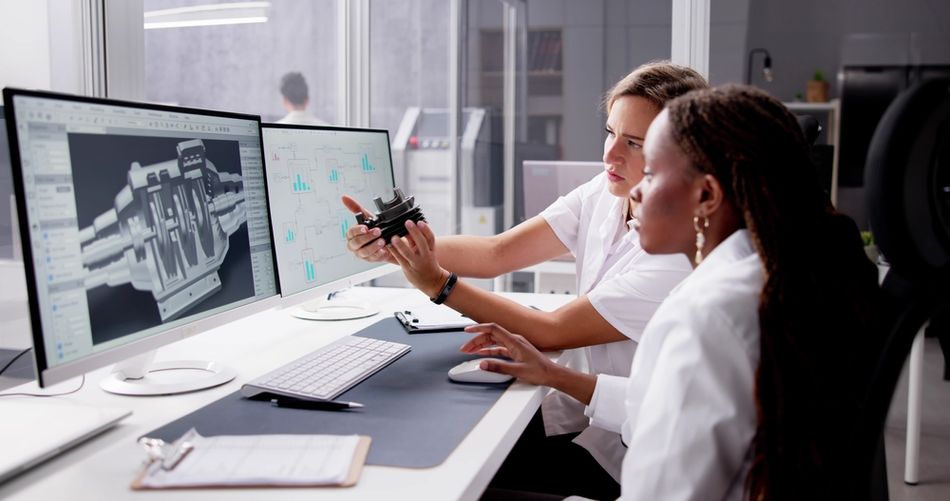
Optimizing resin prints is a balance between speed, surface quality, and part performance. Layer height affects both detail and print time: thinner layers reduce visible steps but take longer, while thicker layers print faster and can sometimes improve mechanical strength. Part orientation also matters, influencing surface finish, support requirements, and strength. Overhangs generally need support, and orienting functional surfaces upward or flat against the build plate helps reduce marks and improve adhesion. Designers can use tree or block supports depending on whether minimal contact or maximum rigidity is needed.
Shrinkage and post-processing are also key considerations. Resin contracts slightly as it cures, so critical features may need scaling or offset adjustments. After printing, parts must be cleaned to remove uncured resin, supports removed, surfaces finished by sanding or polishing, and fully cured under UV light to reach optimal strength and stability.
Key Points for Resin Print Optimization:
Layer height: Thinner layers produce smoother surfaces and finer detail, but take longer to print. Thicker layers print faster and can improve mechanical strength in some designs. Common SLA layer heights range from 25–100 µm, with 50 µm often used as a balance between speed and quality.
Part orientation: How you position a part on the build plate affects surface finish, support needs, and strength. Flat surfaces should lie on the build plate when possible, and functional surfaces should face upward to reduce support marks. Overhangs greater than about 45° from vertical generally require supports to prevent sagging.
Support types: Choose supports based on the geometry and surface priorities. Tree supports branch to touch minimal surface area, leaving fewer marks and making removal easier. Block or fence supports provide rigid support for heavy or delicate features but can leave more noticeable contact points.
Shrinkage compensation: Resin contracts slightly during curing. Critical features may need to be scaled or offset in the 3D model to maintain accuracy. Using low-shrinkage resins reduces the amount of compensation required.
Post-processing steps: After printing, parts are coated in uncured resin and require cleaning in isopropyl alcohol or a proprietary wash solution. Remove supports carefully, then sand or polish surfaces for a smooth finish. Finally, perform a secondary UV cure to fully solidify the part, increasing strength, heat resistance, and durability.
Conclusion
Resin 3D printing continues to advance rapidly, with new systems offering higher speeds, finer resolution, and smarter control. Emerging printers combine high-resolution LCD panels with faster light engines, adaptive exposure algorithms, and machine vision for consistent curing. Materials are also evolving, with photopolymers that include ceramic or fiber fillers, and multi-wavelength systems that let users switch between rigid and flexible resins. These innovations make resin printing faster, more reliable, and capable of tackling increasingly complex designs.
Today, resin 3D printing is a versatile platform for engineers, designers, and makers alike. With a solid understanding of photopolymer chemistry, thoughtful material selection, and careful design and process planning, it can produce highly detailed, strong, and smooth parts.
FAQ
What is the difference between SLA, DLP, and LCD printing?
SLA uses a laser to trace each layer of the 3D model, providing precise, smooth surfaces. DLP projects an entire layer at once using a digital micromirror device, allowing faster build speeds. LCD printers use a pixelated mask to cure the resin; they are cost-effective but limited by pixel resolution, which affects fine detail.
How do resin prints compare to filament (FDM) prints?
Resin prints produce much finer detail and smoother surfaces than FDM, making them ideal for functional parts, miniatures, and detailed prototypes. FDM builds with melted filament, resulting in thicker layers, but typically offers higher impact resistance and larger build volumes.
How do I choose the best resin for my application?
Selecting the right type of resin depends on mechanical requirements, surface finish, certification, and cost. Standard resins work well for concept models, tough resins are suited for functional prototypes, engineering resins handle end-use components with strengths up to 85 MPa, and flexible resins are ideal for elastomeric parts.
What causes dimensional inaccuracies?
Shrinkage during polymerization, peel forces, and over-cure bleed can distort prints. Use low-shrinkage resins and adjust your 3D models or scaling in the slicer to compensate.
What safety precautions are essential?
Always wear nitrile gloves, safety glasses, and a respirator. Ensure proper ventilation (10+ air changes per hour), and fully cure waste resin before disposal.
Why does my resin print warp?
Warping can result from poor adhesion, an unlevel build plate, or excessive peel forces. Proper leveling and slightly over-exposing the first layers can help ensure flat, accurate prints.
How can I increase print speed?
Thicker layers, high-reactivity resins, and powerful light engines can reduce print time. Projection-based systems like DLP and P3 cure entire layers simultaneously, making them faster than laser-based SLA.
References
[1] Santoliquido O, Colombo P, Ortona A. Additive Manufacturing of ceramic components by Digital Light Processing: A comparison between the “bottom-up” and the “top-down” approaches. Journal of the European Ceramic Society. 2019 Jun 1;39(6):2140-8.
[2] Stratasys. SLA 3D printing [Internet]. 2026 Mar 30 [cited 2026 Apr 7].
[3] Zhang Q, Weng S, Hamel CM, Montgomery SM, Wu J, Kuang X, Zhou K, Qi HJ. Design for the reduction of volume shrinkage-induced distortion in digital light processing 3D printing. Extreme Mechanics Letters. 2021 Oct 1;48:101403.
[4] Ultimaker. Resin vs FDM printing: comparing 3D printing with SLA resin vs filament [Internet]. 2025 Jul 21 [cited 2026 Apr 7].
[5] Anycubic. Best tough resin for 3D printing [Internet]. 2023 Nov 29 [cited 2026 Apr 7].
[6] Pagac M, Hajnys J, Ma QP, Jancar L, Jansa J, Stefek P, Mesicek J. A review of vat photopolymerization technology: materials, applications, challenges, and future trends of 3D printing. Polymers. 2021 Feb 17;13(4):598.
[7] Creality. SLA vs MSLA 3D printing: What’s the difference? [Internet]. Creality Community Forum. [cited 2026 Apr 7].