What Is AMS 3D Printing? Exploring the Bambu Lab Automatic Material System
What is AMS 3D printing? Here we provide a technical exploration of Bambu Lab's Automatic Material System (AMS) architecture, operation, and performance.

03 Apr, 2026. 11 minutes read
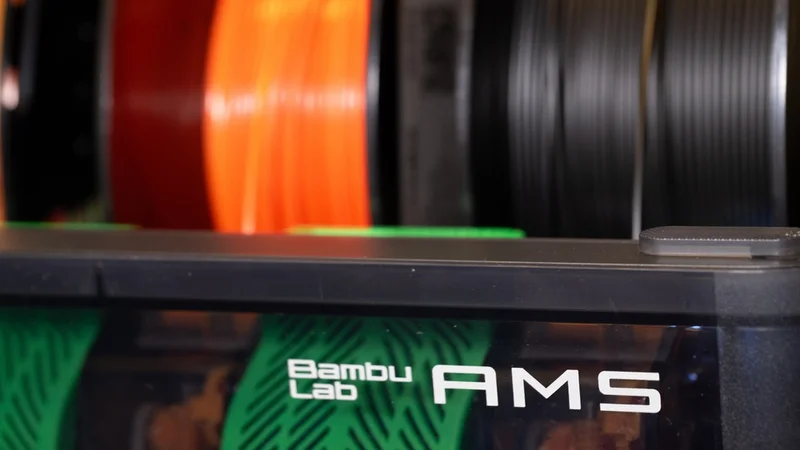
Multi-material FDM/FFF printing has long promised the ability to combine colors, soluble supports, and engineering polymers in a single build. In practice, however, reliable filament switching has historically been one of the hardest problems in desktop additive manufacturing. Feeding and re-indexing multiple spools without tangles, jams, or moisture exposure requires tight coordination between different components.
Manufacturers have begun addressing this challenge with dedicated filament management systems designed to automate loading, storage, and material changes during a print, including AMS from Bambu Lab. But what is AMS 3D printing, exactly? The term refers to the Automatic Material System developed for Bambu Lab printers: a hardware module that stores multiple spools, maintains controlled humidity, and automatically feeds filament to a single extruder when the print requires a different material or color.
This article examines the technology from an engineering perspective. We break down the architecture of an AMS unit—including its spool bays, hub, and buffer—explain how filament switching is executed, and analyze how the system communicates with slicing software. We also compare Bambu’s approach with alternatives such as Prusa’s MMU3 and Mosaic’s Palette.
The Multi-Material and Multi-Color 3D Printing Landscape
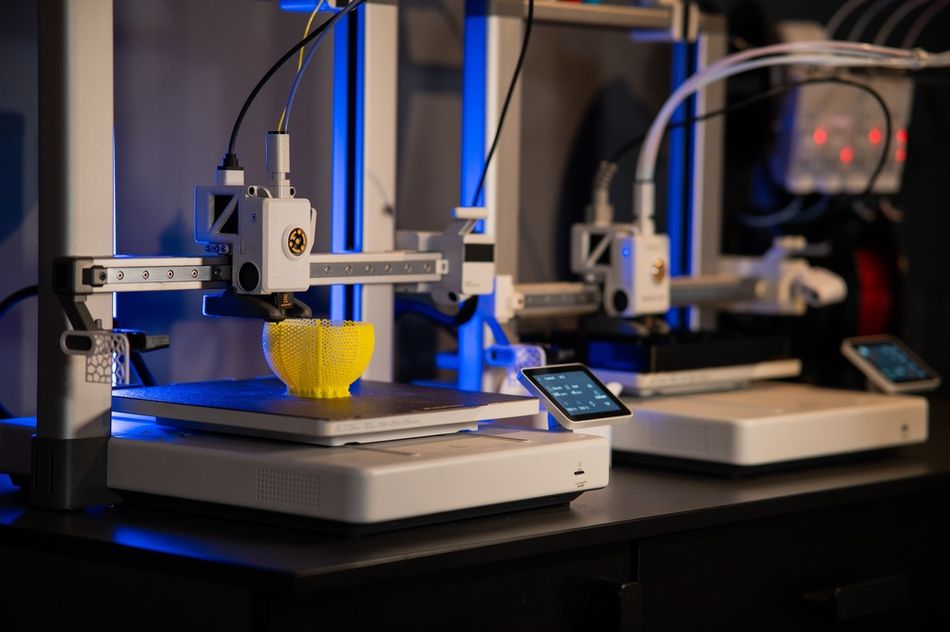
FDM 3D printers traditionally push a single filament through a heated extruder to deposit molten polymer layer by layer. Multi-material 3D printing expands this concept by loading multiple spools and switching between them automatically during the printing process. Such systems enable multi-color parts, functional composites, and the use of soluble support materials that can be dissolved away after printing.
In principle, switching filaments sounds simple. In practice, it requires precise control of filament feed, retraction, and tension across long PTFE guide tubes while maintaining stable extrusion conditions. Different materials also behave differently under heat and compression, meaning the system must handle variations in stiffness, melting temperature, and flow rate without introducing jams, under-extrusion, or color contamination.
Manufacturers have developed several approaches to multi-material printing, each with its own engineering trade-offs. Common solutions include:
Multiple extruders: Printers with two or more hotends, each dedicated to a different filament.
Tool-changing systems: A robotic carriage picks up different print heads during the job.
External filament combiners: Devices splice or merge filament streams before they reach a single extruder.
Automated filament selectors: Systems such as Bambu’s AMS or Prusa’s MMU3 feed one filament at a time into the same hotend.
Each method solves the material-switching problem in a different way, but all introduce complexity. Multiple extruders add weight to the moving print head, which can increase inertia, reducing print speed and accuracy.[1] Tool-changing systems require precise mechanical alignment and longer change times. External combiners must splice filaments accurately while maintaining consistent diameter and strength, taking into account temperature and geometry challenges.[2]
Even automated selector systems face challenges. Switching filaments requires retracting the current material, advancing the next one, and purging residual polymer from the nozzle. This process consumes time and filament and must be carefully managed by the printer’s firmware and slicer software. As a result, reliable multi-material printing depends not only on mechanical hardware but also on tightly integrated sensing, control algorithms, and material management systems.
Architecture of the Automatic Material System
The Automatic Material System (AMS) is a modular filament handling and delivery architecture that enables multi‑material and multi‑color 3D printing on compatible Bambu Lab machines by automating filament feed, tension control, and spool switching.[3] It is designed around three primary functional subsystems — the filament slots, the filament hub, and the filament buffer — each playing a specific role in maintaining precise filament management.
The entire AMS enclosure is built to be airtight, allowing desiccant packs to maintain low humidity and protect hygroscopic filaments such as PA, PC, and PVA. A humidity sensor alerts users when desiccant replacement is needed.
Filament Slots
At the front end are four individual filament slots. Each slot includes its own motorized drive that can both push filament forward into the system and wind unused or retracted filament back onto its spool. These drives replace passive feeds with active control, allowing the AMS to pull filament for extrusion or retract and rewind it cleanly without loose filament hanging outside the unit. Sensors in each slot detect filament presence, and the drive motors react automatically to loading and unloading commands from the printer’s control system.
Filament Hub
Filaments from all four slots converge into the filament hub. The hub serves as a junction point and adds a second stage of drive force via a brushless motor, giving the system enough torque and coordinated motion to deliver filament reliably over longer tubes and during dynamic switching events. An odometer and multiple sensors within the hub continuously monitor filament position, speed, and tension, feeding data back to the controller to ensure smooth transitions.
Filament Buffer / AMS Hub
The final stage before the print head is the filament buffer. Positioned close to the printer’s toolhead, the buffer acts as a tension stabiliser between the AMS and the extruder, helping to keep the filament tension within an ideal range for precise extrusion. This reduces drag, minimizes backlash, and improves overall reliability during printing.
The AMS Hub (not to be confused with the filament hub) can be used instead of the standard filament buffer to allow connection of up to four AMS units, collectively supplying up to 16 filament spools to the printer. The hub consists of two main components: a filament selection module and a buffer module. The selection module features four inlets, each linking to a separate AMS unit, with Hall sensors in every slot to detect filament presence.
How the AMS Works
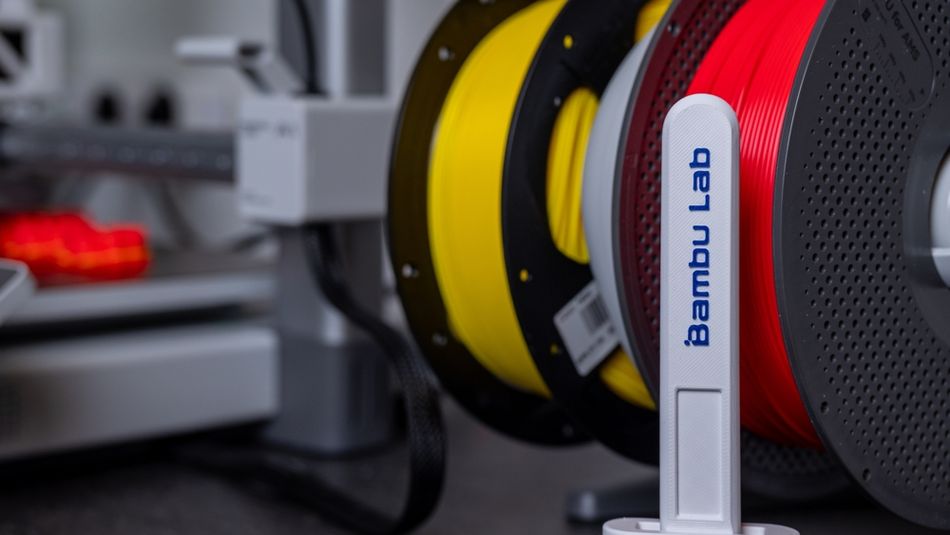
Using the Automatic Material System (AMS) begins with loading filament into the unit’s four spool slots. The user places each spool on its holder and feeds the filament into the slot until the AMS drive mechanism grabs it. Motorized rollers then pull the filament into the system automatically. Each slot includes a Hall sensor to detect filament presence. If the spool carries a Bambu Lab RFID tag, the AMS reads it during loading, identifying the filament’s material type and color so the printer and slicer can apply the correct settings.
From the spool slots, the filament travels through PTFE tubes into the filament hub, which merges the four paths into a single output line leading toward the printer. The user does not need to intervene during this stage. A brushless motor in the hub helps drive the selected filament forward or retract it when switching materials, ensuring reliable movement through the tube network.
Before reaching the extruder, the filament passes through the filament buffer, which stabilizes tension in the feed path. The buffer uses a spring-loaded slide and sensor system to absorb small variations in filament movement. This helps prevent slack, excessive tension, or buckling as the extruder pulls material during printing.
When the slicer or printer firmware calls for a material change, the AMS performs a filament switch. The current filament is retracted back into its AMS slot, and the new filament is fed forward. The user’s main role is preparing the multi-material print in the slicer; the AMS handles the physical switching automatically.
After the new filament reaches the nozzle, the printer performs a purge cycle into a wipe tower or purge area to remove the previous material before printing resumes.
During the print, the AMS continuously monitors filament movement, spool status, and humidity inside the enclosure. If a spool runs out, the system can automatically switch to a backup spool of the same material. Users only need to replace empty spools and periodically refresh the desiccant packs that keep moisture-sensitive filaments dry.[4]
AMS Material and Spool Compatibility
The Automatic Material System is marketed as an open material solution, but real-world performance varies by polymer and spool geometry. Bambu Lab's documentation lists the following materials as compatible with the AMS and AMS 2 Pro:
Bambu or third party: PLA, PETG, ABS, ASA, PET, PA, PC, PVA (dried), BVOH (dried), PP, POM, HIPS
Bambu only: PLA-CF, PAHT-CF, PETG-CF, PLA/PETG, TPU for AMS.
Unsupported filaments include TPE, generic TPU, PVA (damp), BVOH (damp), Bambu PET-CF/TPU 95A, and other carbon fiber or glass fiber composites.
For non-Bambu filaments, spool size matters. According to the company, AMS supports spools with a width of 50–68 mm and a diameter of 197–202 mm. Filament with a spool outside this range can be wrapped around a Bambu Reusable Spool. Cardboard spools can be placed within a printable AMS spool adapter.
AMS Hardware Variants
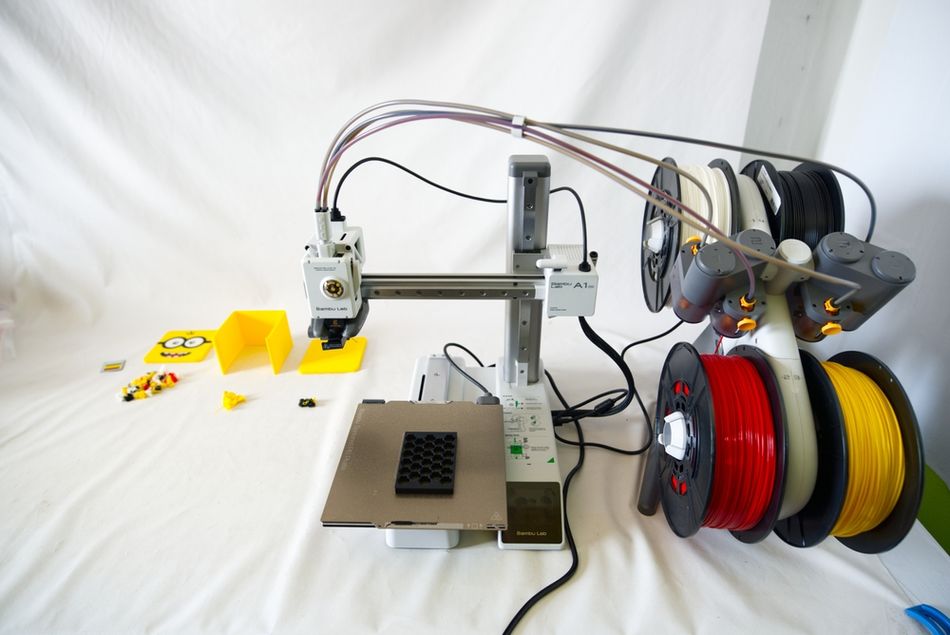
Bambu Lab offers several variants of its Automatic Material System. The original AMS attaches to the X1 series and P1 series 3D printers and includes the four-slot unit described above. An AMS Hub accessory allows engineers to daisy-chain up to four AMS units, expanding capacity to 16 filament slots. However, the AMS is just one of four versions currently available from Bambu Lab.[5]
AMS Lite
At $199, the AMS Lite is a simplified multi-material system designed for Bambu Lab’s A-series printers. It holds up to four filament spools on an open-frame rack and feeds them through individual PTFE tubes to the printer. Compared with the enclosed AMS units, it omits active humidity control and complex buffering mechanisms, prioritising lower cost and reduced weight.
AMS 2 Pro
Sold for $299, the AMS 2 Pro is now the standard enclosed Automatic Material System used with Bambu Lab’s flagship printers. Each unit stores four spools in a sealed chamber with a new ventilated drying system, automatically loading and unloading filaments through an improved, faster motorized feed system.
AMS HT
Costing $139, the AMS HT is designed for higher-temperature and engineering-grade filaments. Its enclosure supports elevated drying temperatures and improved thermal stability, allowing materials such as nylon, polycarbonate, or other moisture-sensitive polymers to remain conditioned before printing.
Recommended reading: Types of 3D Printers: The Ultimate Guide to Additive Manufacturing Technologies
Bambu Studio and Slicer Software Integration
A capable hardware system also requires matching software. Bambu Studio, based on the open-source PrusaSlicer/OrcaSlicer codebase, includes native support for the AMS. Engineers familiar with PrusaSlicer will find the interface recognizable, with additional controls for AMS configuration and printer connectivity.
Within the slicer, users assign colors or materials to entire models, individual objects, or specific faces. The software then automatically generates the wipe tower, calculates purge volumes, and schedules filament changes during the print. If a spool includes a Bambu RFID tag, the system detects the filament type and color automatically. When using third-party filament without RFID, the user can manually enter the material type, color, and temperature and save these details as reusable profiles.
Other slicers can be used, but AMS workflows are easiest to manage in Bambu Studio or OrcaSlicer because they support the metadata required for automated filament switching. When the print is sent to the printer over a local network or through Bambu Cloud, the file includes both the G-code and material mapping instructions. The printer firmware then coordinates the extruder and AMS motors, executing filament loading, retraction, and purge cycles exactly where the slicer specifies.
Recommended reading: What is Slicing in 3D Printing? A Guide for Engineers
AMS vs Prusa MMU3 and Other Multi-Material Solutions
The Automatic Material System competes with several other multi-material solutions, most notably Prusa’s MMU3 and the Mosaic Palette 3. However, both alternatives are approaching legacy status as the desktop multi-material market evolves. Mosaic has shifted its focus toward integrated industrial platforms rather than standalone Palette devices, while Prusa’s MMU3 will no longer be receiving major updates.[6][7]
System | Approx. Price (USD) | Compatibility | Filament Inputs | Key Features | Status |
Bambu Lab AMS | 249 | Bambu X1, P1 | 4 (expandable) | Automatic loading and unloading, humidity control, integrated sensors | First generation |
Bambu Lab AMS 2 Pro | 299 | Bambu X1, P1, A1 | 4 (expandable) | Enclosed drying (~65 °C) | Second generation |
Bambu Lab AMS Lite | 199 | Bambu A1, A1 Mini | 4 | Simple automatic feeding, open frame, lightweight | Current |
Bambu Lab AMS HT | 139 | Bambu X1, P1, A1 | 1 | Higher-temp enclosed drying; bypass outlet for flexible/composite filaments | Current |
Prusa MMU3 | 359–409 | Prusa MK4S, MK3.9S, CORE One | 5 | Multi-material switching via selector, integrated with PrusaSlicer | Current but received final major update in March 2026 |
Mosaic Palette X | On demand; sold as package | Mosaic Element/Array printers | 8+ | Integrated material management on Mosaic platforms | Current |
Mosaic Palette 3 | 599 (third-party; available for less on sale) | Most 1.75 mm FDM printers | 4 (Pro up to 8) | Splice-based multi-material system (cuts & joins filament) | Discontinued but still supported |
AMS Advantages and Benefits
For engineers designing functional prototypes or short-run production parts, the AMS offers several compelling advantages beyond eye-catching multi-color prints.
Automatic multi-material printing: Up to 4 spools per unit (16 daisy-chained), enabling rigid, flexible, and soluble materials in a single print. Supports complex parts like ABS with PETG inserts or PLA with PVA supports.
Consistent filament management: Active drives and sensors maintain tension and extrusion, improving dimensional accuracy and surface finish. Airtight enclosure and desiccant extend filament life and reduce moisture defects.
Runout detection & continuous printing: Automatic spool switching allows overnight or unattended prints, reducing downtime and increasing throughput.
Workflow efficiency: Bambu Studio automates color mapping, purge towers, and flush volumes; plug-and-play design simplifies installation and calibration.
Sustainability: Supports reusable spools, reducing packaging waste and allowing RFID reuse.
AMS Limitations and Challenges
No multi-material system is perfect, and engineers should be aware of the AMS's limitations.
Purge waste: Each filament change requires extruding material into a wipe tower, consuming extra filament; high-contrast color transitions generate more waste.
Slower multi-material prints: Filament retraction, loading, and purging add time per transition.
Material restrictions: Very flexible filaments (TPU/TPE) can buckle; wet PVA must be dried; abrasive carbon-fiber filaments accelerate wear unless reinforced; cardboard spools can jam.
Reliability issues: Buffer ball jams, PTFE wear, and tangling can occur. Firmware limits direct motor/sensor adjustments.
Cost & ecosystem: Single AMS unit adds several hundred dollars; full RFID functionality requires Bambu filaments. The proprietary system may deter some users.
Conclusion
The Automatic Material System is a well-engineered platform that combines motorized spool drives, sensors, humidity control, and slicer integration to automate filament handling. Each unit manages four spools and works with a hub and buffer to feed material reliably, while the sealed enclosure and desiccant help protect moisture-sensitive filaments. For users who regularly print multi-color parts or rely on soluble supports, the automation can save significant setup time and reduce failed prints.
The main trade-off is ecosystem lock-in and upfront cost. Compared with alternatives like the Prusa MMU3, the AMS offers more automation and integrated material management, but it is designed for Bambu Lab printers and works best with their software and filament ecosystem. Some materials—especially very flexible filaments—and certain spool types can still present challenges. For engineers and prototyping teams who frequently need multi-material capability, however, the AMS can be a worthwhile investment, turning what was once a fiddly, manual process into a largely hands-off workflow.
FAQ
What materials does the AMS support?
Most common FDM materials, including PLA, PETG, ABS, ASA, PET, nylon (PA), polycarbonate (PC), and soluble PVA. Some carbon-fiber filaments can also be used if they are designed for low abrasion. Very flexible materials like TPU and TPE are generally not recommended for the standard AMS.
Can I use third-party filament and spools?
Yes. Non-RFID filament works by manually entering material settings in the slicer. Spools must fit the AMS size limits (about 200 mm diameter and 70 mm width). Cardboard spools can slip on the rollers, so many users rewind them onto reusable plastic spools.
How does the AMS Lite differ from the standard AMS?
AMS Lite also holds four spools but uses a simpler open design with fewer sensors and no humidity monitoring. It is lighter and cheaper but cannot be daisy-chained like the standard AMS.
How much filament is wasted in purge towers?
Multi-material printing produces purge waste when switching colors or materials. On a typical four-color print, at least 15% of total filament may be purged to clean the nozzle between changes, although this varies greatly depending on the number of changes required, the contrast between colors, and whether the user has taken mitigating steps to reduce waste.
How do I reduce AMS purge filament waste?
To reduce purge waste on the AMS, adjust flushing volumes in Bambu Studio, minimize unnecessary color or material changes, and group same-color regions to cut transitions. You can also purge into infill or support areas and use advanced retraction settings to lower the amount of filament pushed out during nozzle cleaning.
Is the AMS compatible with TPU?
The standard AMS often struggles with very flexible filaments because they can buckle in the long PTFE tubes. Direct loading is usually more reliable.
What maintenance does the AMS require?
Basic upkeep includes keeping filaments dry, replacing desiccant when humidity rises, cleaning feed rollers and tubes, and checking spools for tangles.
How many AMS units can one printer use?
One AMS holds four spools. With an AMS Hub, up to four units can be connected, giving a maximum of 16 filaments available to the printer.
References
[1] Wozniak M, Krason J, Kosucki A, Rylski A, Siczek K. The Effect of 3D Printer Head Extruder Design on Dynamics and Print Quality. Applied Sciences. 2025 Dec 14;15(24):13140.
[2] EngineerDog. Building a better filament fuser [Internet]. 2016 Feb 28 [cited 2026 Mar 31].
[3] Bambu Lab. Introduction to AMS [Internet]. Bambu Lab Wiki; [cited 2026 Mar 31].
[4] Bambu Lab. AMS Function Introduction [Internet]. Bambu Lab Wiki; [cited 2026 Mar 31].
[5] Bambu Lab. Compare Bambu Lab AMS [Internet]. Bambu Lab; [cited 2026 Mar 31].
[6] Mosaic Manufacturing. A new chapter for Palette: Transitioning to the Element and Array platforms [Internet]. Mosaic Manufacturing; 2024 Nov 15 [cited 2026 Mar 31].
[7] Olejnik J. Massive MMU3 speed boost: New FW slashes filament change times + CORE One L MMU3 news [Internet]. Original Prusa 3D Printers Blog; 2026 Mar 26 [cited 2026 Mar 31].
in this article
1. The Multi-Material and Multi-Color 3D Printing Landscape2. Architecture of the Automatic Material System3. How the AMS Works4. AMS Material and Spool Compatibility5. AMS Hardware Variants6. Bambu Studio and Slicer Software Integration7. AMS vs Prusa MMU3 and Other Multi-Material Solutions8. AMS Advantages and Benefits9. AMS Limitations and Challenges10. Conclusion11. FAQ12. References