NPU vs GPU: Understanding the Key Differences and Use Cases
GPUs excel in parallel processing for graphics and AI training with scalability, while NPUs focus on low-latency AI inference on edge devices, enhancing privacy by processing data locally. Together, they complement each other in addressing different stages of AI workloads efficiently.

Last updated on 03 Aug, 2026. 13 minutes read
Introduction
The NPU vs GPU distinction has moved from a spec-sheet footnote to a real architectural decision as inference workloads shift from data centers to endpoint devices. Modern computing demands specialized processors to handle complex tasks and algorithms efficiently. Graphics Processing Units (GPUs) and Neural Processing Units (NPUs) are designed to address these needs, each excelling in different domains. GPUs leverage parallel processing for high-performance tasks like 3D rendering, scientific simulations, and AI model training. NPUs, on the other hand, are purpose-built for AI inference, enabling low-latency and power-efficient execution of neural network tasks directly on devices. These specialized chips enhance performance and efficiency by offloading repetitive and resource-intensive operations from general-purpose Central Processing Units (CPUs).
The distinction has direct engineering implications. Choosing the wrong accelerator means either provisioning compute headroom you'll never use or building a pipeline that can't handle real inference load once you move past prototyping. Understanding NPU vs GPU tradeoffs early — before committing to a hardware target — is what separates a pipeline that scales from one that hits a wall.
This article aims to equip you with a detailed understanding of NPU vs GPU by exploring their evolution, architectures, capabilities, real-world applications, and challenges, helping you choose the right processor for your needs in 2026.
Evolution of GPUs and NPUs
Computers, at their core, are math machines designed to perform calculations on numbers. Initially, all computational tasks, regardless of complexity or type, were handled by CPUs. However, as computing evolved, it became clear that not every operation required the flexibility and precision of a general-purpose computing processor. Repetitive, specialized tasks, such as graphics rendering or audio and video encoding, could be bottlenecks for traditional processors and be handled more efficiently by dedicated hardware accelerators. This realization gave rise to specialized chips like GPUs for graphics and NPUs for AI, among others, each tailored to excel in specific computational domains, offloading and optimizing tasks from the CPU.
Both NPUs and GPUs represent two distinct advancements in specialized hardware for computational tasks. GPUs were introduced in 1999 by NVIDIA, initially designed for rendering graphics in gaming and visual applications. Their ability to execute thousands of parallel operations efficiently made them ideal for handling image processing, 3D modeling, and rendering pipelines.
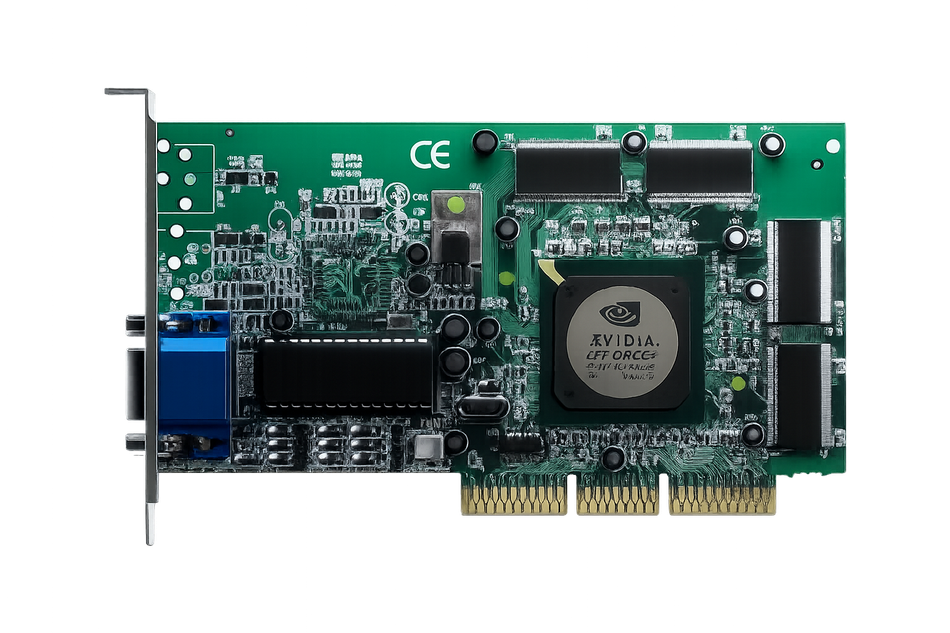
The NVIDIA GeForce 256. Source: NVIDIA
By the mid-2000s, graphics cards began to be used beyond graphics, thanks to frameworks like CUDA, enabling their adoption for general-purpose parallel computing tasks. This marked their shift into areas like scientific simulations, financial modeling, and neural network training, where massive computational throughput is critical.
Recommended reading: Understanding Nvidia CUDA Cores: A Comprehensive Guide
NPUs, developed much later, address the growing demand for dedicated hardware optimized for neural network computations. Unlike GPUs, which are general-purpose parallel processors, NPUs are tailored for AI workloads, with specialized circuits for matrix multiplication, tensor operations, and low-latency execution. The first mobile NPU is widely credited to Huawei's Kirin 970 chip in 2017, followed soon after by Apple's Neural Engine in the iPhone. This early wave brought NPUs into smartphones, enabling features like natural language processing and object detection with less power consumption.

Intel’s Core Ultra series processors feature built-in NPUs designed to efficiently handle AI inference workloads even on mobile devices like laptops. AI-assistants like Microsoft Copilot are optimized to leverage these NPUs for enhanced AI performance.
Today, GPUs dominate large-scale AI model training and high-performance computing, while NPUs are increasingly used for real-time inference in constrained environments.
What Is a GPU?
GPUs are built for parallel processing, utilizing a parallel architecture that excels at tasks involving multiple operations simultaneously. This capability originally made them useful in rendering graphics and performing image and video processing.
What Is an NPU?
NPUs are designed with a specific focus on efficiently executing operations commonly found in machine learning tasks and deep learning workloads. Their architecture is optimized to handle the mathematical computations required for neural networks.
Both processors play critical roles in modern computing, addressing challenges where general-purpose hardware falls short, but their unique design philosophies cater to different types of workloads.
NPU vs GPU: A Technical Comparison
Architecture
NPUs and GPUs have distinct architectures tailored to their specialized functions. NPUs are optimized for artificial intelligence tasks, with designs focused on executing neural network computations efficiently.
GPU Architecture
GPUs are designed around a large number of parallel processing cores, often numbering in the thousands. These cores are grouped into clusters, with shared access to high-bandwidth memory and a unified scheduler to manage tasks. GPUs typically feature:
Streaming Multiprocessors (SMs): Core clusters that handle multiple threads simultaneously.
High Memory Bandwidth: To accommodate the large datasets required for graphical and computational tasks.
Flexible Instruction Sets: Allowing GPUs to handle a wide variety of workloads beyond graphics, such as AI model training or scientific computations.
NPU Architecture
NPUs, in contrast, are built specifically to accelerate neural network operations like matrix multiplications and convolutions. Their design focuses on minimizing latency and maximizing efficiency for tasks commonly encountered in AI inference. Key architectural features of NPUs include:
Tensor Cores or Neural AI Accelerators: Dedicated hardware units optimized for matrix and tensor operations, which form the backbone of neural network computations.
Low-Latency Pipelines: Optimized for real-time inference tasks in power-constrained environments, such as smartphones or IoT devices.
On-Chip Memory: Integrated memory closer to the processing units, reducing data transfer delays and improving efficiency.
Customizable Layers: Support for AI-specific optimizations, such as quantization and pruning, to further accelerate performance.
Recommended reading: Tensor Cores vs CUDA Cores: The Powerhouses of GPU Computing from Nvidia
Performance Metrics
Performance metrics such as latency, power efficiency, and raw throughput are critical for evaluating NPUs and GPUs — but the units differ by chip type. GPUs are typically benchmarked in FLOPs (Floating Point Operations Per Second), reflecting their flexible, high-precision compute. NPUs are typically benchmarked in TOPS (Trillions of Operations Per Second), usually measured at INT8 precision — a lower-precision, inference-optimized format. This matters for comparison shopping: a chip's "45 TOPS" and another's "45 TFLOPs" are not directly comparable numbers, since they measure different kinds of math at different precision levels.
FLOPs: Measures computational power, especially relevant for AI and graphics workloads. Higher FLOPs indicate the ability to handle complex calculations quickly.
TOPS (NPU): measures inference throughput, usually at INT8 precision.
Latency: Represents the time taken to complete a task, crucial for real-time applications like autonomous driving or video processing. NPUs often have lower latency for specific AI tasks.
Power Efficiency: Indicates the energy consumption per operation, an important metric for edge and mobile devices. NPUs often excel here, making them suitable for devices with limited power resources.
Cost and Scalability
Cost
NPUs are typically integrated directly into a device's SoC (System-on-Chip), so their cost gets absorbed into the price of the phone, laptop, or IoT device itself rather than sold as a standalone component. This makes them a cost-effective default for edge AI — you're not paying extra for dedicated AI hardware.
GPUs, by contrast, are often sold and priced separately, especially at the high end: a single data-center-grade GPU used for AI training can cost more than an entire NPU-equipped smartphone. For enterprises, that cost is usually justified by the GPU's versatility — the same card can handle training, rendering, and simulation — but for a narrow, specialized AI task, an NPU is often the more economical choice.
Scalability
GPUs are built to scale horizontally. High-speed interconnects like NVIDIA's NVLink or InfiniBand let multiple GPUs work together as one large compute cluster, which is exactly how large-scale model training happens — spreading a workload across dozens, hundreds, or even thousands of GPUs in a data center.
NPUs don't have an equivalent path. They're generally soldered into a single device's SoC with no multi-chip interconnect, so scaling means adding more individual devices, not linking chips together into a bigger cluster. That's a deliberate tradeoff, not a limitation: NPUs are designed for efficient, single-device inference, not distributed training, so the lack of cluster scaling doesn't hurt their intended use case.
Software Ecosystem
GPUs sit at the center of a mature, well-documented software ecosystem built up over nearly two decades. NVIDIA's CUDA platform, launched in 2007, gave developers direct, low-level access to GPU compute, and major frameworks like TensorFlow and PyTorch were built with that access in mind from the ground up. That means a developer training a model can move between frameworks, cloud providers, and hardware generations with relatively few compatibility headaches — the tooling, documentation, and community support are all mature and widely shared.
NPUs don't have that same shared foundation. Because each NPU is designed by a different vendor for a specific chip — Apple's Neural Engine, Qualcomm's Hexagon, Huawei's Da Vinci architecture inside Ascend — each comes with its own SDK, its own model-conversion pipeline, and its own set of supported operations. A model trained in PyTorch typically has to be converted and optimized for a specific NPU using tools like TensorFlow Lite, Core ML, or a vendor's proprietary compiler, and features that work on one NPU may not be supported on another. This fragmentation is the tradeoff for the efficiency gains NPUs offer: highly optimized, purpose-built hardware, at the cost of a more locked-in, less portable software stack.
Quick Comparison Table
Aspect | GPU | NPU |
Primary Purpose | Parallel processing for graphics and AI training | Optimized for AI inference tasks |
Workload Focus | Large-scale AI model training, graphics rendering, scientific simulations | AI inference, real-time processing on edge devices |
Power Efficiency | High power consumption, suited for gaming PCs, workstations, and data centers | Highly energy-efficient, ideal for mobile and IoT devices |
Latency | Higher latency compared to NPUs | Low latency, ideal for real-time tasks |
Scalability | Highly scalable, especially in data centers | Limited scalability, designed for single-device deployments |
Software Ecosystem | Mature ecosystem: CUDA, TensorFlow, PyTorch | Specialized toolchains: TensorFlow Lite, vendor SDKs |
Cost | Higher cost due to versatility and computational power | Cost-effective for specialized AI tasks in edge devices |
Key Use Cases for NPUs
NPUs are integral in accelerating AI-centric apps, particularly in image recognition and language processing. Their specialized architecture enables efficient handling of complex neural network computations across diverse fields.
Consumer Electronics and Edge Devices
Smartphones and Tablets: NPUs power features like facial recognition, voice assistants, real-time language translation, real-time photo processing, battery optimizations, fitness tracking, and even privacy features.
Internet of Things (IoT) Devices: NPUs enable real-time AI in smart home devices, security cameras (object detection), and smart assistants (natural language understanding).
NPUs enhance user privacy by processing sensitive data directly on the device, eliminating the need to send it to cloud servers. Tasks like voice recognition, facial recognition, and spam filtering are performed locally, reducing the risk of data exposure and ensuring greater control over personal information.
Healthcare
Point-of-Care Devices: NPUs enable on-device analysis in handheld ultrasound and diagnostic wearables, without cloud dependency.
Remote/Wearable Monitoring: NPUs process vitals and health signals locally in real time on wearables, preserving battery and privacy.
Automotive
Autonomous Vehicles: NPUs handle real-time object detection and perception, working alongside GPU and CPU compute for path planning and decision-making in autonomous driving.
Driver Assistance Systems: Applications like adaptive cruise control, lane departure warning, and collision avoidance leverage NPUs for low-latency decision-making.
Robotics
Industrial Robots: NPUs power machine vision for real-time defect detection and object recognition, working alongside separate control systems for sorting, assembly, and navigation actions.
Drones: Real-time AI inference allows drones to detect objects, map environments, and avoid obstacles.
Real-Time AI Solutions
Retail: Automated checkout systems use NPUs for recognizing products and processing transactions.
Finance: NPUs enable on-device fraud signals — such as a phone or POS terminal flagging unusual activity locally before sending data upstream — while large-scale fraud detection runs on centralized GPU/cloud infrastructure.
These examples showcase the versatility of NPUs across diverse industries where real-time AI solutions are critical for innovation.
Key Use Cases for GPUs
GPUs have evolved beyond their traditional roles to power a wide range of applications, thanks to their unparalleled parallel processing capabilities. Their impact spans gaming, video rendering, scientific research, and more.
Gaming and Graphics Rendering
Video Games: GPUs power high-resolution gaming experiences, enabling realistic visuals, ray tracing, and smooth frame rates.
Visual Effects and Animation: GPUs are integral to creating 3D animations, rendering special effects, and editing high-resolution video.

AI and Machine Learning
Model Training: GPUs are the industry standard for training deep learning models. Their ability to perform massive parallel computations makes them indispensable in AI research.
Scientific Research: GPUs accelerate simulations in areas like climate modeling, particle physics, and genome analysis, where large-scale parallelism is required.
Data Centers, Cloud Computing, and AI training
AI Workloads: GPUs handle specific tasks like natural language processing (NLP), recommendation systems, and image recognition in cloud environments.
Big Data Analytics: GPUs are used to process and analyze massive datasets in real-time.
Professional Workstations
Engineering and Design: GPUs support CAD (Computer-Aided Design) tools for 3D modeling, product design, and architectural rendering.
Video Production: GPUs accelerate video editing workflows, enabling smooth playback and real-time rendering of effects.
Cryptocurrency Mining
GPUs power mining for ASIC-resistant cryptocurrencies like Kaspa, Ravencoin, and Ethereum Classic, handling the repetitive computations needed for blockchain verification on these networks.
Key Players in the NPU and GPU Market
The NPU and GPU market is shaped by a few dominant players, each driving innovation to address distinct computational needs.
GPU Market Leaders
NVIDIA is the undisputed leader in GPU technology, renowned for its groundbreaking CUDA platform and hardware such as the GeForce and Tesla series. The brand has a market cap of over $4.85 trillion (as of late June 2026), making it the world's most valuable public company [9]. Its GPUs are the backbone of industries ranging from gaming to AI model training and scientific research. NVIDIA’s innovations, like Tensor Cores and real-time ray tracing, make it a critical player in both graphics and AI.
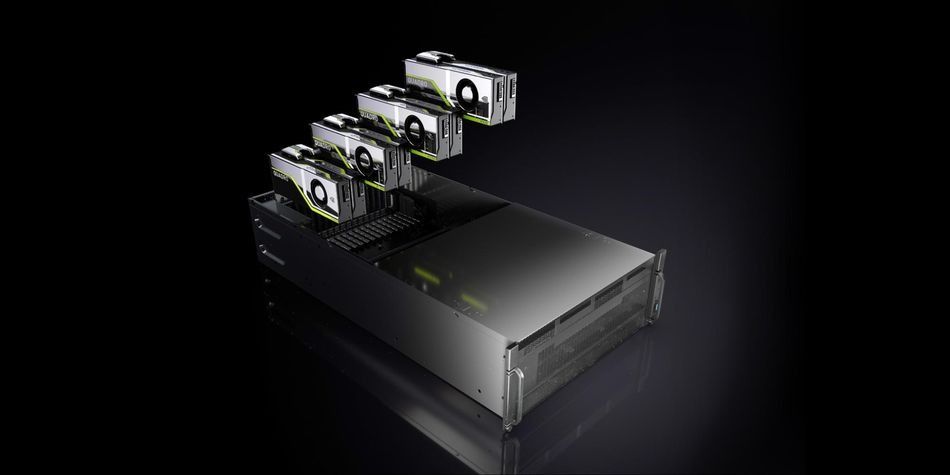
NVIDIA RTX GPUs powering high-performance workloads in a server data center, enabling advanced AI training, deep learning, and real-time data processing. Source: Nvidia
AMD is another significant competitor, offering Radeon GPUs that excel in gaming, Virtual Reality (VR), and content creation. With its ROCm platform, AMD is making strides in high-performance computing (HPC) and deep learning, providing an open-source alternative to NVIDIA’s ecosystem. Meanwhile, Intel has entered the GPU market with its Arc series and Xe architecture, focusing on bridging CPU and GPU workloads, especially in HPC and AI.
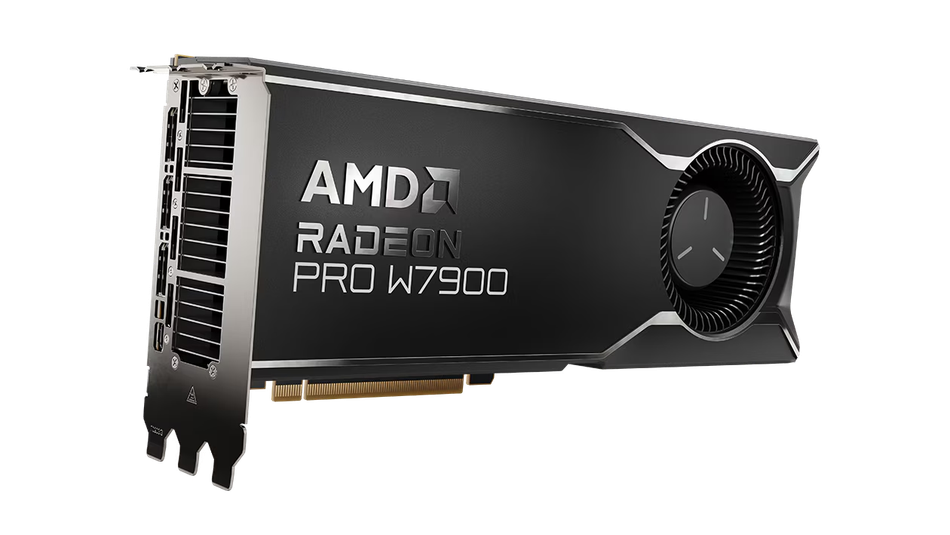
AMD Radeon Pro W7900. Source: AMD
NPU Market Innovators
NPUs, being a more recent innovation, have a different set of leaders. Google’s Tensor Processing Units (TPUs) were among the first NPUs designed for large-scale AI workloads, particularly in data centers. They power Google’s cloud services and AI models, offering seamless integration with TensorFlow.

The Google Pixel 10 series, powered by the Tensor G5 chipset, features an integrated NPU designed to accelerate AI operations on edge devices.
Recommended reading: TPU vs GPU in AI: A Comprehensive Guide to Their Roles and Impact on Artificial Intelligence
Apple, on the other hand, leads in on-device AI with its Neural Engine, a key part of its A-series and M-series chips, enabling features like FaceID, Siri, and computational photography.
Qualcomm and MediaTek dominate the mobile NPU market. Qualcomm integrates NPUs into its Qualcomm Snapdragon processors, enhancing real-time AI features like voice assistants and augmented reality. MediaTek focuses on cost-effective AI enhancements in its Dimensity series, targeting mid-range and flagship devices. Huawei has also positioned itself as a major player with its Ascend and Kirin NPUs. The Ascend NPUs target enterprise applications and AI training, while the Kirin processors are optimized for smartphones and edge devices.
Emerging Players
Tesla shut down its original Dojo training supercomputer in 2025. Training workloads shifted to the AI5/AI6 chip lineage — AI5 (taped out April 2026) handles real-time inference for Optimus and vehicles, while AI6, currently in design review, is built to handle both inference and large-scale data-center training. A separate 'Dojo 3' project was revived in 2026, repositioned specifically for space-based AI compute rather than Earth-based training [11].
NPU or GU: The Real Deciding Factor
If you're running an already-trained model — inference — and you care about power draw, latency, or keeping data on-device, an NPU wins. If you're training a model, or running inference at a scale that needs serious throughput and a mature software stack, a GPU wins.
In practice, most real products don't choose one over the other — they use an NPU for fast, local, everyday inference, and a GPU for anything heavier, whether that's training or generative workloads. That division, not a single winner, is where AI hardware actually stands in 2026.
Recommended reading: Leveraging Edge Computing for Generative AI
However, as NPU technology advances, manufacturers are pushing to enable more generative AI functions directly on devices, balancing performance, power efficiency, and latency. This shift could pave the way for features like real-time AI-driven content creation or advanced personalization without relying heavily on the cloud, offering enhanced privacy and faster response times.
Emerging Trends in Processor Technologies
The evolution of NPUs and GPUs is shaped by the increasing demand for specialized computing to handle complex workloads efficiently. As technology advances, several key trends have emerged:
Hybrid Processors: Development of systems combining NPU and GPU functionalities to optimize both AI workloads and graphics processing. For example, hybrid processors are increasingly being used in industries like automotive for autonomous driving systems, where real-time AI processing and advanced graphical displays are both essential. In the gaming industry, these processors are enabling immersive VR environments that require seamless integration of AI and graphics. Similarly, in scientific research, hybrid processors support complex simulations by balancing AI-driven data analysis and visualization tasks effectively.
On-Device AI Expansion: NPUs are enabling more AI tasks directly on devices, from real-time image enhancement to personalized voice assistants, reducing reliance on cloud computing. This not only improves latency but also enhances user privacy, making on-device AI a significant focus area for mobile and PC manufacturers.
Energy Efficiency Innovations: With sustainability becoming a priority, both NPUs and GPUs are adopting energy-efficient designs. NPUs continue to push boundaries in low-power inference, while GPUs are incorporating power-saving technologies for large-scale computing, especially in AI model training.
Generative AI Integration: As generative AI matures, GPUs remain central to large-scale model training, particularly for massive large language models. However, NPUs are gradually being adapted to handle smaller generative tasks, like image editing and real-time content personalization, locally on devices.
Customizable Architectures: Both NPUs and GPUs are evolving to offer more flexibility. GPUs are integrating specialized cores for AI workloads (e.g., NVIDIA Tensor Cores), while NPUs are being designed with configurable layers to support diverse neural network architectures.
Conclusion
NPUs and GPUs have distinct strengths that cater to different computing needs. GPUs excel at scalable, parallel workloads like AI training and graphics rendering, while NPUs specialize in efficient, low-latency AI inference for edge devices, prioritizing privacy and energy efficiency. Together, they drive innovation across industries, from data centers to smartphones. The future lies in hybrid processors and advanced edge solutions, blending scalability with on-device intelligence. As AI applications grow, these technologies will continue to shape the landscape of efficient and specialized computing.
Frequently Asked Questions
What is the primary difference between an NPU and a GPU?
NPUs are specially designed for AI-inference tasks, offering low power consumption and latency.
GPUs are versatile and are designed for general-purpose parallel processing, particularly graphics rendering, AI training, and gaming.Can NPUs Replace GPUs?
While NPUs are highly efficient for specific AI applications, they cannot replace GPUs due to their limited scope. GPUs offer broader compatibility and are essential for tasks like graphics rendering and training large-scale machine learning models.Why are NPUs important for smartphones?
NPUs enable AI features like facial recognition, voice assistants, real-time translation, and photo enhancements directly on the device, improving speed, reducing cloud dependency, and enhancing user privacy.How do NPUs enhance privacy?
NPUs process sensitive AI tasks, such as speech recognition or facial data analysis, locally on the device, reducing the need to send data to cloud servers and minimizing the risk of exposure, thus increasing privacy.Can both NPUs and GPUs be used together?
Yes, most systems, including smartphones and laptops, combine NPUs and GPUs for different stages of AI workloads. For example, GPUs handle AI model training in data centers or on high-performance laptops, while NPUs run inference tasks efficiently in edge devices.
References
[1] Doyle, S. "AI 101: GPU vs TPU vs NPU." Backblaze Blog, 2 Aug. 2023. [Online]. Available: https://www.backblaze.com/blog/ai-101-gpu-vs-tpu-vs-npu/
[2] IBM. "NPU vs GPU: What's the Difference?" IBM Think. [Online]. Available: https://www.ibm.com/think/topics/npu-vs-gpu
[3] Fortune Business Insights. "Neural Processor Market Size, Share & COVID-19 Impact Analysis." [Online]. Available: https://www.fortunebusinessinsights.com/neural-processor-market-108102
[4] Chockalingam A. Microsoft and NVIDIA supercharge AI development on RTX AI PCs [Internet]. NVIDIA Blog; 2024 Nov 19. Available from: https://blogs.nvidia.com/blog/ai-decoded-microsoft-ignite-rtx/
[5] Macrotrends. NVIDIA - Market Cap [Internet]. Macrotrends. Available from: https://www.macrotrends.net/stocks/charts/NVDA/nvidia/market-cap
[6] NVIDIA. "First GPU: How the GeForce 256 Changed Gaming and Started the AI Revolution." NVIDIA Blog. [Online]. Available: https://blogs.nvidia.com/blog/first-gpu-gaming-ai/
[7] Intel. "AI PC — Core Ultra Processors." Intel. [Online]. Available: https://www.intel.com/content/www/us/en/products/docs/processors/core-ultra/ai-pc.html
[8] Ethereum Foundation. "The Merge." Ethereum.org. [Online]. Available: https://ethereum.org/en/roadmap/merge/
[9] Stock Analysis. "NVIDIA (NVDA) Market Cap & Net Worth." 1 Jul. 2026. [Online]. Available: https://stockanalysis.com/stocks/nvda/market-cap/
[10] Wevolver. "TPU vs GPU in AI: A Comprehensive Guide to Their Roles and Impact on Artificial Intelligence." [Online]. Available: https://www.wevolver.com/article/tpu-vs-gpu-in-ai-a-comprehensive-guide-to-their-roles-and-impact-on-artificial-intelligence
[11] Electrek. "Tesla taped out AI5 chip, Musk says — nearly 2 years behind schedule." 15 Apr. 2026. [Online]. Available: https://electrek.co/2026/04/15/tesla-ai5-chip-taped-out-musk-ai6-dojo3/
in this article
1. Evolution of GPUs and NPUs2. What Is a GPU?3. What Is an NPU?4. NPU vs GPU: A Technical Comparison5. Key Use Cases for NPUs6. Key Use Cases for GPUs7. Key Players in the NPU and GPU Market8. Emerging Trends in Processor Technologies9. Conclusion10. Frequently Asked Questions11. References