The self-documenting workshop by Kevin McAleer
He built an AI agent that watches him work, and documents builds for him. Powered by the Arduino® UNO™ Q. In four hours.

01 Jul, 2026. 3 minutes read
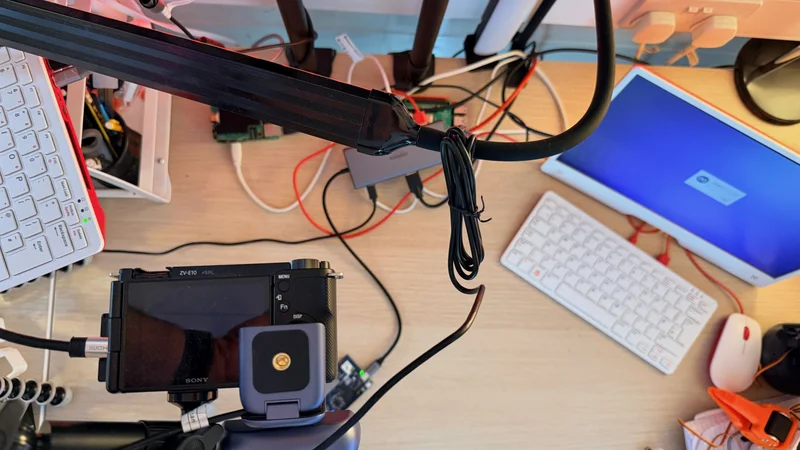
Kevin McAleer is a maker, educator, and YouTuber with a long track record of creative projects at the intersection of hardware, software, and robotics. After leaving the bench quite a few times thinking “I should have documented that”, he decided to build a solution for this common creator issue. The Self-Documenting Workshop is an AI agent that watches you work, listens to what you say, and at the end of a session writes the tutorial for you. Because, he explains in his blog, “when you’re in the middle of a build the last thing you want to do is stop, pick up your phone, frame a photo, write a note, and then try to remember where you were.”
While he was at it, he also tackled a second problem. If you’ve ever filmed a tutorial video, you’ll be familiar with this one: you’re so focused on the work that your hands drift out of frame. Thanks to the dual-brain architecture of the Arduino® UNO™ Q board, Kevin was able to set up a system that actually understands what it’s looking at.
The cherry on top? Kevin told us, “Took just 4 hours to build this!”
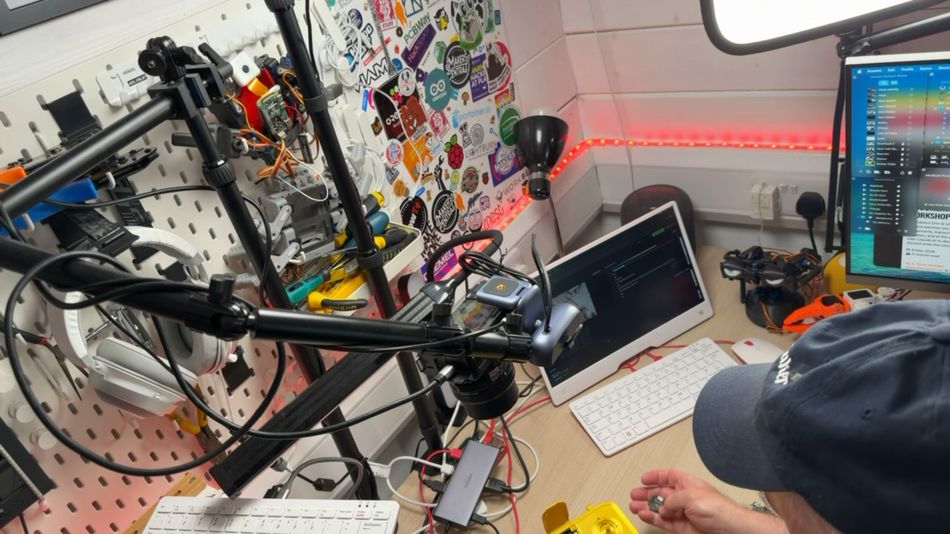
The system set up
The system is split across three machines – each one doing what it’s best at.
An UNO Q sits at the heart of the setup, with an overhead USB-C webcam pointed at the workbench. The board’s MPU – a Qualcomm Dragonwing™ QRB2210 processor running Debian Linux – runs the Python agent that orchestrates everything: capturing frames, detecting changes, talking to the AI, and serving a live browser-based dashboard. Its MCU – an STM32 microcontroller running Zephyr – handles the hardware: an 8x13 LED matrix, a push button, and a current clamp on the soldering iron that tells the system when work is actually happening (and when it can save resources because Kevin’s just taking a tea break).
A Mac runs a lightweight Flask server to transcribe audio locally using faster-whisper, keeping speech-to-text free and off the cloud. Finally, Claude AI provides the intelligence. Kevin uses a faster, cheaper model (Sonnet 4.6) to analyse frames in real time (filtering out with OpenCV frames where not much seems to change – another cost-savvy decision), and has a more capable one fire just once Opus 4.7 classifier, at the end of the session, to assess kind of build it just watched, and what it should write.
That’s right: the AI classifies what is observed and makes a creative decision about the most appropriate output to generate: a clean tutorial with bill of materials, a build log with debugging sections, or a video script outline. All of this costs around 0.4 GBP (currently 0.54 USD) in API calls per 90-minute session.
Kevin optimized the model usage even tracking when the solder station is active, using a current clamp to detect when the soldering iron draws power. This allows the agent to know soldering is happening without burning vision tokens to confirm it.
What worked, what didn’t, and what’s next
As you can read in the full write-up on his blog, Kevin ran the system through a real build session – a Pico-based servo tester – and came away with a solid first draft for a blog post. Accurate component identification, correct build steps, and suitable photo selection were the wins. Of course, there’s room for improvement: AI made up some plausible (but incorrect) details when the camera couldn’t read code off his screen, and smoothed out a ten-minute debugging detour that could have had value for some viewers. Kevin is already thinking about next steps: direct file access for better code capture, a directional microphone, and generating multiple output formats from the same session.
If you are inspired to replicate his setup, or perhaps improve upon it yourself, check out Kevin’s full code on GitHub, open for anyone to explore, adapt, and build on!
Qualcomm branded products are products of Qualcomm Technologies, Inc. and/or its subsidiaries. Arduino, UNO, and the Arduino logo are trademarks or registered trademarks of Arduino S.r.l.